
Snow removal software
Snow removal software that holds up at 3 AM and at billing time.
Sign seasonal contracts in the fall, run per-push and per-application accounts on the same board, route trucks across every lot on storm night, and send invoices that match the pushes your crews actually made.
We're onboarding early customers — join the waitlist or book a demo.
Why Homeforce
Built around how snow removal businesses actually work.
The problems snow removal owners run into most — and how Homeforce handles each one.
- 01
Problem: Seasonal and per-push customers are mixed up in one spreadsheet, and someone always gets billed wrong.
With Homeforce: Seasonal contracts bill on their own schedule as plans, while per-push and per-application work is invoiced from what the crew completed.
- 02
Problem: On storm night the route is whatever order the driver remembers.
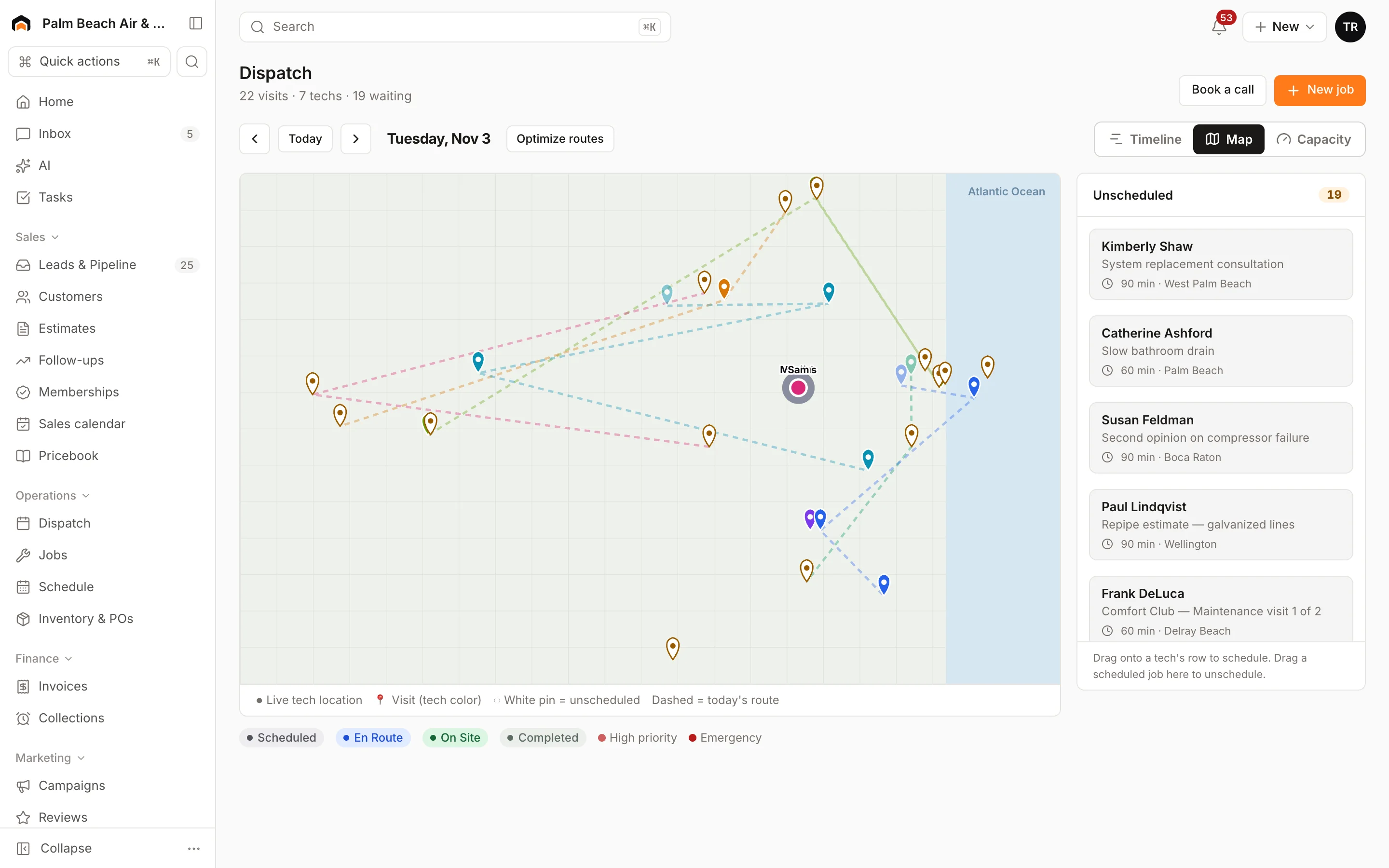
With Homeforce: Each driver's pushes show on the map in order, and Optimize routes re-orders the remaining stops to cut miles.
- 03
Problem: A slip-and-fall claim comes in and nobody can say when the lot was last salted.
With Homeforce: Every push and salt application is its own visit with status changes, crew notes, and after photos on the property's record.
- 04
Problem: Fall contract renewals are chased one phone call at a time.
With Homeforce: Build a segment of last season's customers and send a text or email campaign with this season's pricing.
How it works
A day in a snow removal business, on Homeforce.
Residential driveways, commercial lots, sidewalks, and salt runs, from signing the season in October to the last invoice in April.
Seasonal vs. per push
Price the season the way each customer buys it.
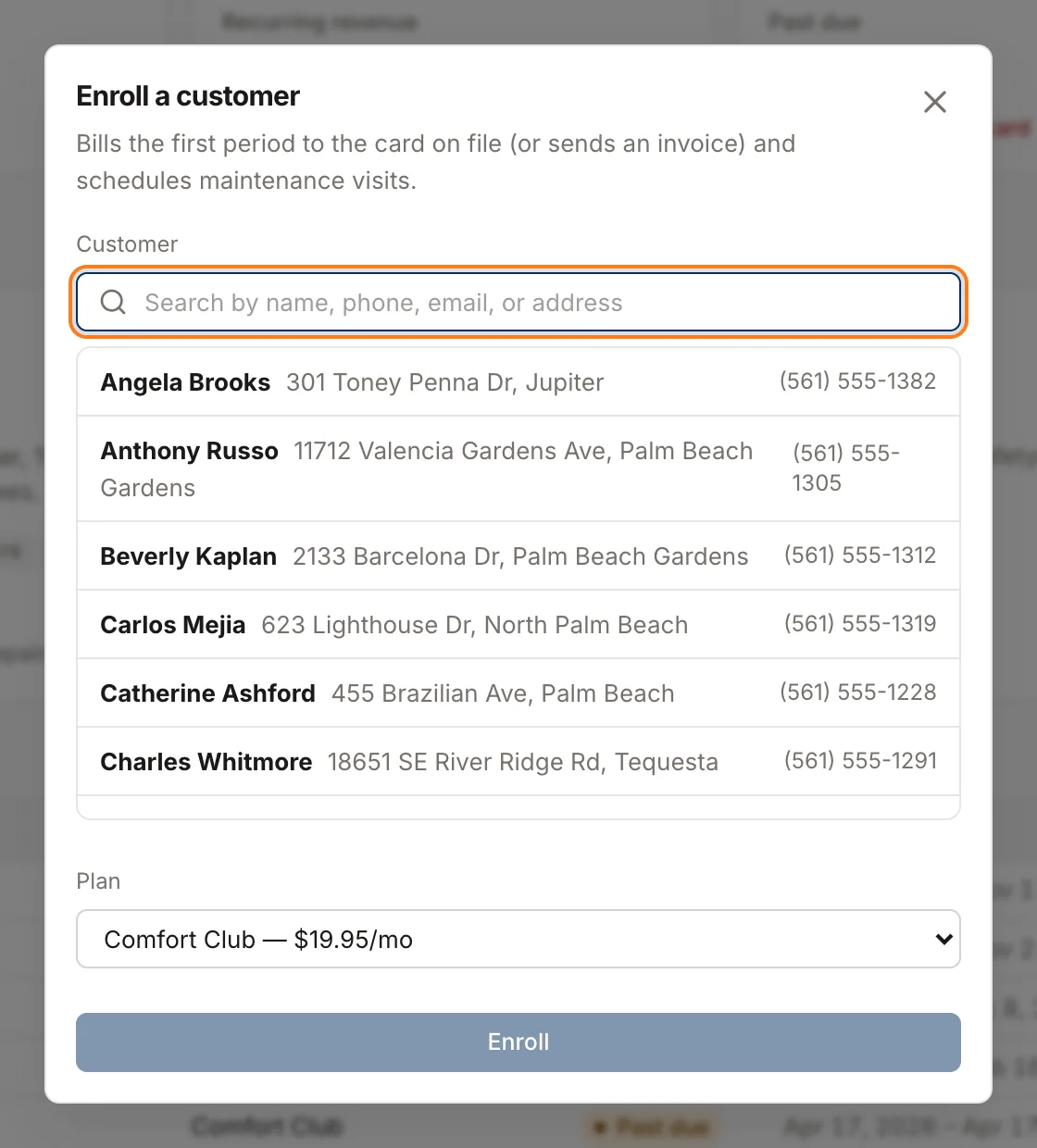
Quote a property with options side by side: a seasonal contract at a fixed price, per-push pricing by trigger depth, or per-push plus salt. The customer approves the option that fits, and seasonal contracts can bill monthly, quarterly, or in one payment.
Dispatch & routes
Every lot in an order that makes sense.
Add a visit for each push to the property's season job and drop it on a driver. The map shows each truck's stops in order, and Optimize routes re-orders what's left without breaking any promised arrival window, like the hospital lot that has to be clear by 6 AM.
Proof of service
When you plowed, what you put down, and a photo.
Drivers mark each push on site and complete from the truck, then record salt or ice melt on a short checklist with a number item for pounds or yards and an after photo. The log sits on the property, so you can answer a client's question or a claim with the visit history.
Per push & seasonal
Invoices that match the storms.
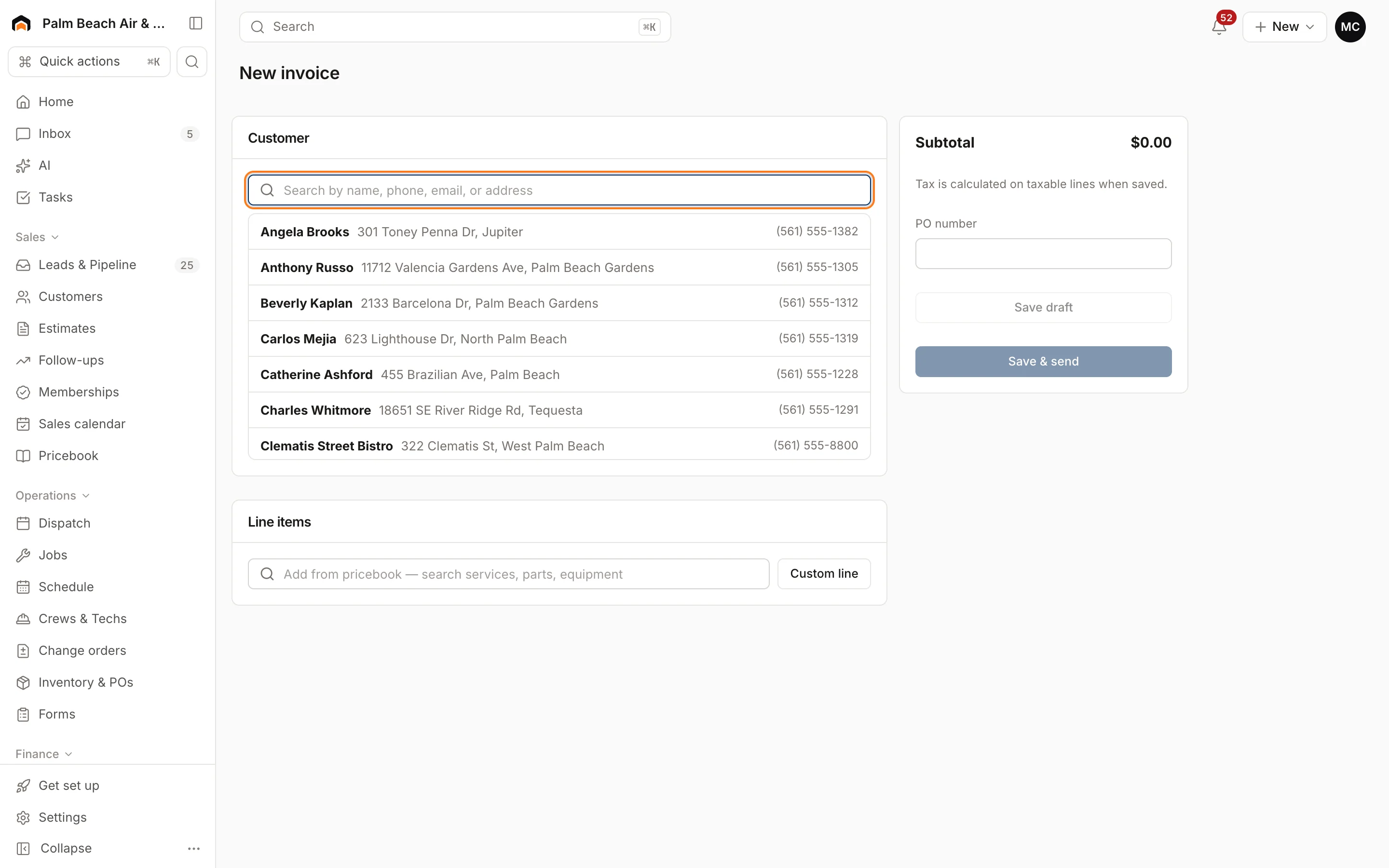
Per-push customers are invoiced from the pushes and applications on their job, priced from your pricebook. Seasonal contracts charge the card on file each billing period, and anything outside the contract, like hauling snow off site, goes on its own invoice.
Fall sign-ups
Sign the season before the first flake.
Build a segment of last year's snow customers by tag and send this season's pricing by text or email from Marketing. Interested customers go on the leads board with an owner and an estimated value, so you know how full the routes are before November.
Built for snow removal
The features snow removal teams use most.
- Dispatch & schedulingOne drag-and-drop board for every tech and job.Learn more
- Route optimizationLess windshield time, more billable stops per day.Learn more
- Memberships & service agreementsRecurring revenue that renews, bills, and schedules itself.Learn more
- Estimates & proposalsGood / better / best options, signed on the spot.Learn more
- InvoicingInvoices that build themselves from the finished job.Learn more
- Marketing campaignsEmail, SMS, and postcards aimed at your own customer list.Learn more
- Mobile appEverything techs need in the field — even offline.Learn more
- Forms & checklistsConsistent inspections, photos, and sign-offs on every job.Learn more
In the truck
Drivers see the next lot, not a clipboard.
The field app lists each driver's stops in order with stop numbers, gate and access notes, and a Navigate button. A push takes a few taps: on site, a salt reading, an after photo, complete. If the signal drops in a rural lot, everything queues and syncs later.
- Stops in order with access notes and Navigate
- Salt and ice melt amounts recorded per visit
- Offline mode for dead zones on storm routes
Homeforce for snow removal, on real screens
Screens from the Homeforce app, taken from our demo companies.
FAQ
Snow removal software questions, answered.
Have a question we didn't cover? Book a demo and ask a product specialist.
Can I run seasonal contracts and per-push accounts in the same system?
Yes. Seasonal contracts can be set up as membership plans billed monthly, quarterly, or annually, with pushes recorded as visits on the property's job. Per-push and per-application customers are invoiced from the visits completed, priced from your pricebook.
Does Homeforce dispatch automatically when it snows?
No. Your team decides when trucks roll, and Homeforce doesn't read snowfall totals or trigger depths. Once you add the pushes, the dispatch board, map, and Optimize routes help you get every lot done in a sensible order.
Can I price by trigger depth or lot size?
Yes. Set up pricebook items for each tier you sell, like plowing at a 2-inch trigger, 2 to 6 inches, and over 6 inches, plus salt applications and sidewalk clearing. Lot size or stall count can live in a custom field on the property.
How do we document service for liability questions?
Each push or application is its own visit with status changes, crew notes, checklist entries such as salt amount, and before and after photos, all kept on the property. What you need for your contracts and insurance is up to you and your insurer.
Can we flag commercial sites that must be cleared by a set time?
Yes. Give the visit an arrival window, and Optimize routes keeps it inside that window when it re-orders a driver's stops. Notes on the property can hold site rules like where to stack snow.
More for snow removal businesses
Run your snow removal business on Homeforce.
We're onboarding early customers a few at a time. Join the waitlist, or see it with your own jobs, techs, and pricebook in a 30-minute demo.
Onboarding early customers · Month-to-month · Free data migration