
Tree service software
Tree service software that books the right crew, truck, and chipper for every tree.
Quote removals and pruning tree by tree, keep the bucket truck, chipper, and stump grinder from being double-booked, run a job briefing before anyone climbs, and turn plant health care into a plan that renews.
We're onboarding early customers — join the waitlist or book a demo.
Why Homeforce
Built around how tree service businesses actually work.
The problems tree service owners run into most — and how Homeforce handles each one.
- 01
Problem: The estimator walks the yard, then retypes six trees and a stump into a quote that night.
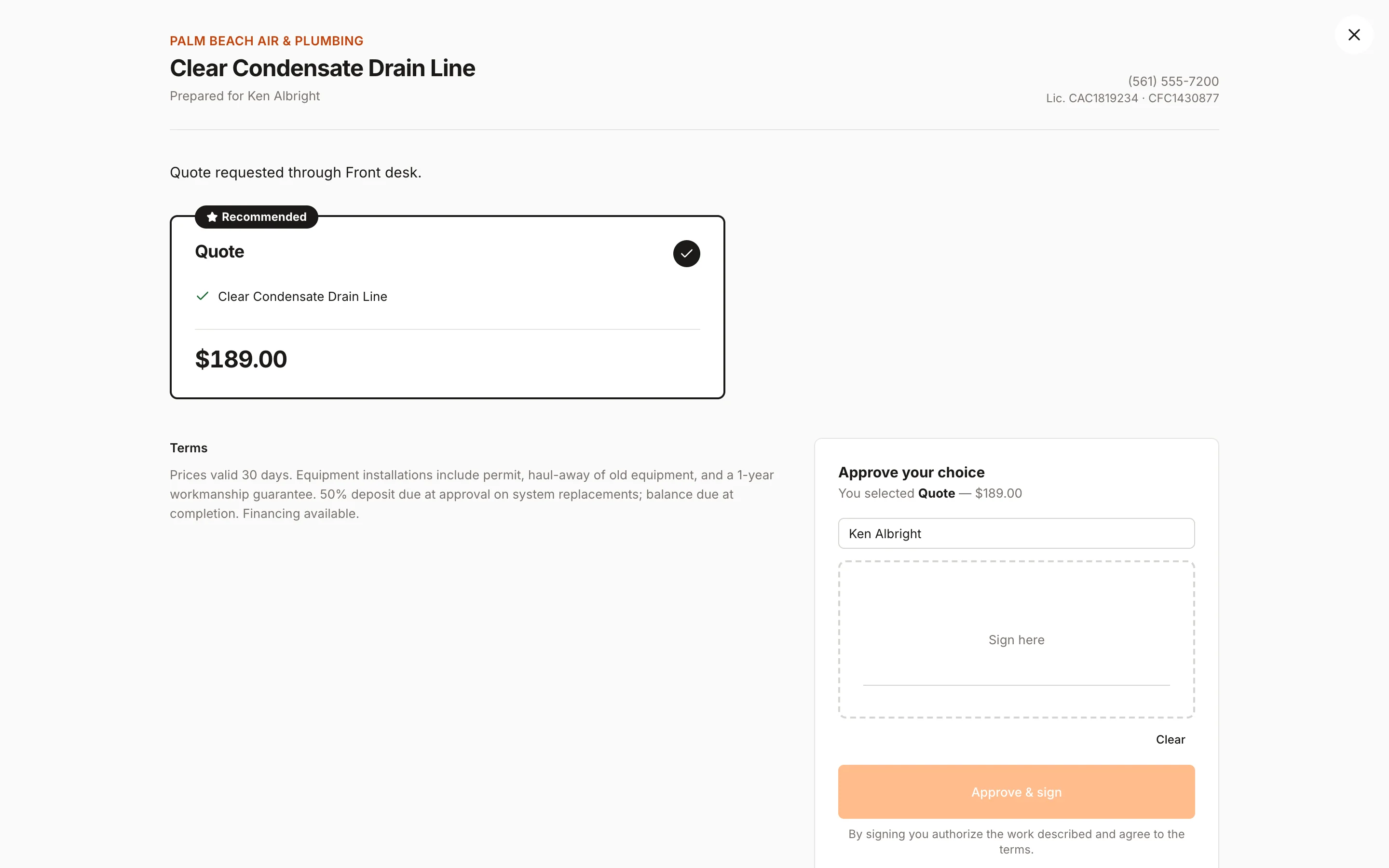
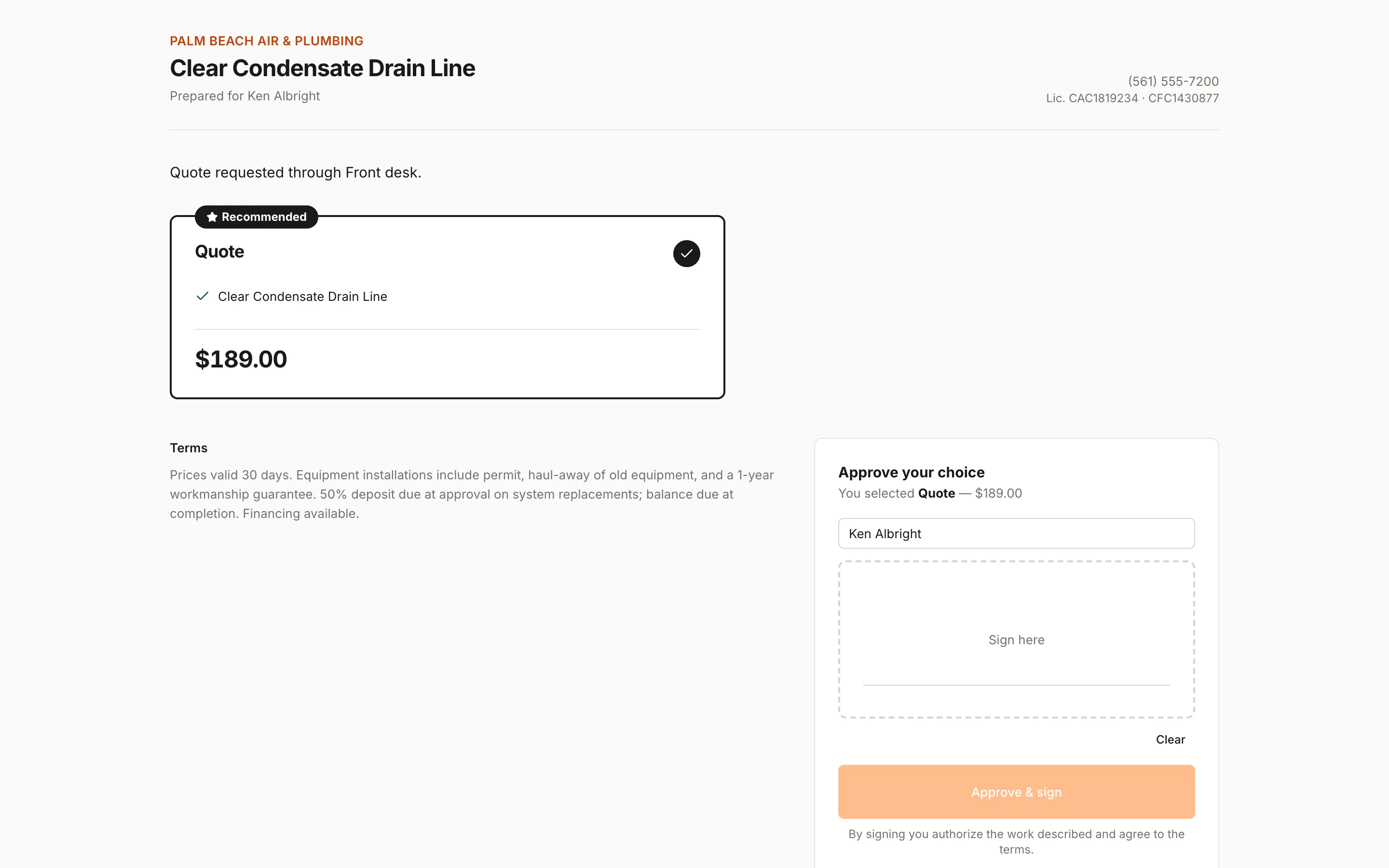
With Homeforce: Build the estimate on site from your pricebook, with one line per tree and removal, pruning, and stump options the homeowner picks from.
- 02
Problem: Two crews show up planning on the same bucket truck.
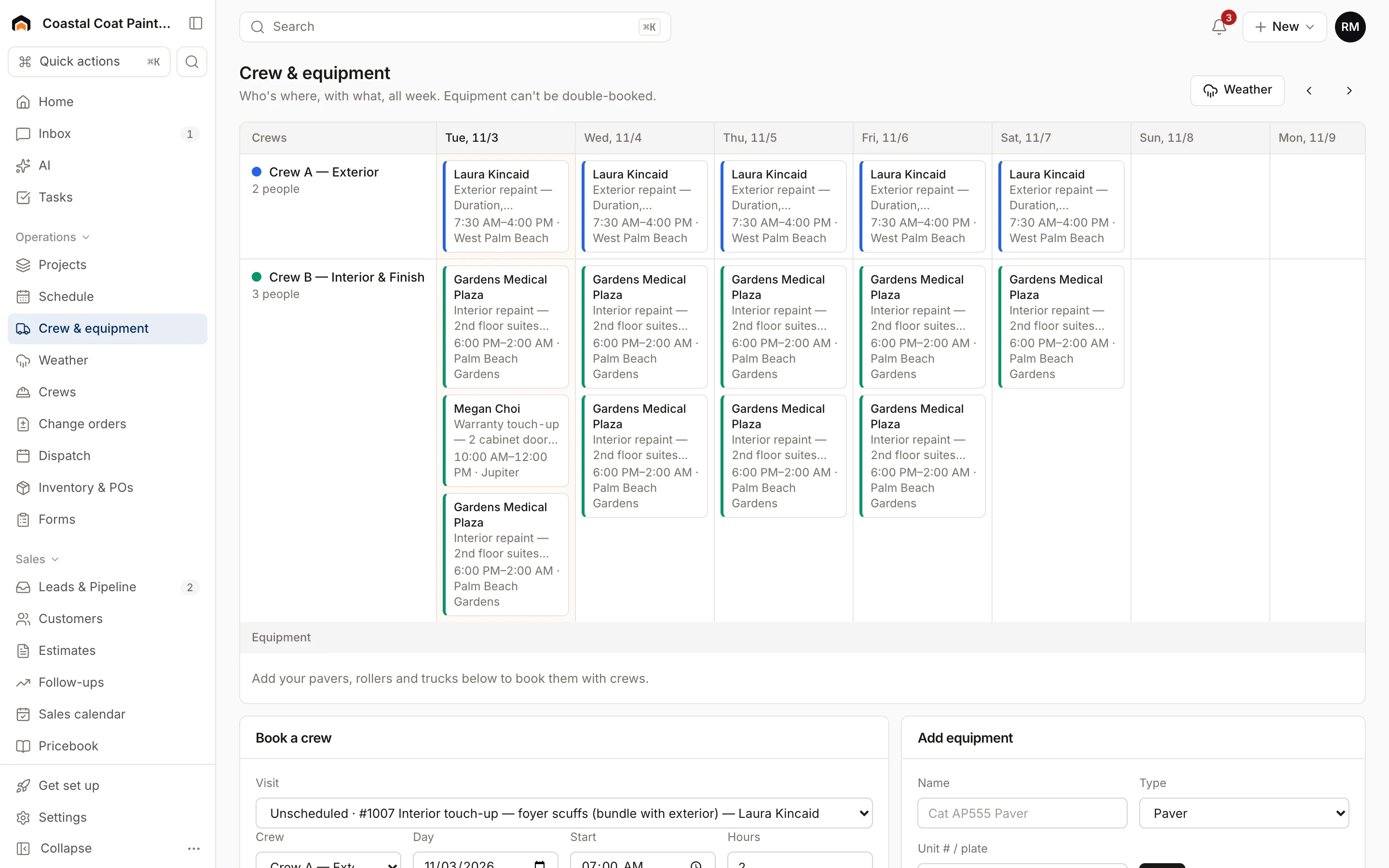
With Homeforce: The crew board books trucks, chippers, and grinders alongside crews, and equipment can never be double-booked.
- 03
Problem: The job briefing happens in the driveway, if it happens, and nobody writes it down.
With Homeforce: A required pre-job checklist on the visit covers hazards, drop zone, power lines, and roles before work starts.
- 04
Problem: Plant health care customers forget to rebook their spring treatment.
With Homeforce: Sell a plant health care plan with included visits. Homeforce creates each visit as a job ahead of its due date and bills the plan on schedule.
How it works
A day in a tree service business, on Homeforce.
Removals, pruning, stump grinding, storm cleanup, and plant health care — each runs with the crew, equipment, and paperwork it actually needs.
Tree by tree
Quote every tree, not just the yard.
List each tree with its species, size, and what you'll do to it. Offer options like prune-only, remove and haul, or remove with stump grinding, and take a deposit on approval. Jobs of $500 or more show an estimated monthly payment.
Crew board
The bucket truck goes where it's booked.
Each crew and each piece of equipment gets a row on the crew board. Book a climbing crew with the chipper and grinder for Tuesday, see the bucket truck is already out, and block out a rental crane for the days you have it.
Safety checklist
Brief the job before anyone leaves the ground.
Attach a pre-job checklist to your removal and pruning job types. Required items mean the crew lead can't complete the checklist until the hazards, drop zone, and power line distance are recorded, and a photo of the setup goes on the job.
Memberships
Treatments that come back every season.
Sell fertilization, ash protection, or a yearly inspection as a plan with a set number of visits. Visits are spread across the year, show up as unscheduled jobs three weeks before they're due, and members get their member price on pruning and removals.
Margin by job
Know what the crane day really cost.
Crew hours from the time clock, dump fees, and the crane rental post to the job as costs, so you can see which removals made money and which ones need a higher price next time.
Built for tree service
The features tree service teams use most.
- Estimates & proposalsGood / better / best options, signed on the spot.Learn more
- Dispatch & schedulingOne drag-and-drop board for every tech and job.Learn more
- Forms & checklistsConsistent inspections, photos, and sign-offs on every job.Learn more
- Memberships & service agreementsRecurring revenue that renews, bills, and schedules itself.Learn more
- Projects & job costingMulti-week jobs scheduled, tracked, and costed live.Learn more
- Mobile appEverything techs need in the field — even offline.Learn more
- Consumer financingMonthly payment options that keep big jobs moving.Learn more
- ReviewsAsk every happy customer for a review at the right moment.Learn more
On the job
The crew lead has the whole job on one phone.
Crew leads see the trees, the scope, the customer's notes about the fence and the septic field, and the job briefing checklist. They take before and after photos, get the homeowner's sign-off, and the visit closes out for the whole crew at once.
- One visit for the whole crew, with on my way and complete for everyone
- Before and after photos of each tree and the cleanup
- Works offline on rural lots and syncs when signal returns
Homeforce for tree service, on real screens
Screens from the Homeforce app, taken from our demo companies.
FAQ
Tree service software questions, answered.
Have a question we didn't cover? Book a demo and ask a product specialist.
Can I estimate tree work tree by tree?
Yes. Each tree can be its own line item with notes on species, size, and scope, and you can offer options like pruning, removal, or removal with stump grinding. Custom fields can hold details like trunk diameter or a protected-tree permit number.
Does Homeforce track bucket trucks, chippers, and stump grinders?
Yes. Add each piece of equipment to the crew board and book it with a crew. Equipment can't be double-booked, and you can block it out for service or rental returns.
Can we record a job briefing before work starts?
Yes. Build a checklist in Settings → Forms & checklists with pass/fail, text, and photo items, mark the safety items required, and attach it to your removal and pruning job types. The checklist can't be completed until required items are filled in. Your safety program, including ANSI Z133 and OSHA obligations, stays your responsibility.
How do plant health care programs work?
Set them up as membership plans with up to 12 included visits a year and monthly, quarterly, or annual billing. Homeforce spreads the visits across the 12-month term and creates each one as an unscheduled job about three weeks before it's due.
Can I handle storm work?
Yes. Book storm calls on the dispatch board, use AI Suggest to find the closest free tech or the crew board for multi-day cleanups, and send a deposit-backed estimate from the truck. Insurance-related work can carry a claim number in a custom field.
More for tree service businesses
Run your tree service business on Homeforce.
We're onboarding early customers a few at a time. Join the waitlist, or see it with your own jobs, techs, and pricebook in a 30-minute demo.
Onboarding early customers · Month-to-month · Free data migration