
Homeforce vs Jobber
Homeforce vs Jobber
Jobber is a proven, self-serve tool for small crews, with a big app marketplace and plans priced by user. Homeforce is a newer, early-access platform priced by field tech, built for shops that sell good/better/best options, memberships and multi-week projects. Here's where each one fits, with Jobber's details sourced from its own pages as of November 2026.
Details about Jobber checked November 3, 2026, with sources below.
Jobber at a glance
Field service software for small home service businesses, priced by plan and number of users
Jobber sells four plans (Core, Connect, Grow and Plus) that cover online booking, quotes, scheduling, invoicing with online payments and a self-serve client hub. Higher tiers add automated follow-ups, QuickBooks Online sync, job costing, two-way texting and custom reports, and Jobber offers an AI Receptionist that answers calls and texts.[1],[2]
Pricing: As of November 2026, Jobber's pricing page lists Core at $49/mo for one user with no commitment ($39/mo on a 1-year commitment, $29/mo billed annually). With no commitment, Connect runs $139–$399/mo, Grow $199–$499/mo and Plus $499–$699/mo depending on whether you buy 1, 5, 10 or 15 users; extra users are $29/mo each. Add-ons: Marketing Suite $99/mo, AI Receptionist $29/mo and Pipeline $49/mo. Card payments are 2.9% + 30¢ and ACH is 1%.[1]
What Jobber does well
- Low, self-serve entry point: Core starts at $49/mo for one user, and the 14-day trial unlocks Grow features with no credit card required.[1]
- A broad ecosystem: the pricing page lists 100+ app marketplace connections on every plan, plus QuickBooks Online and Xero sync from Connect upward.[1]
- Its AI Receptionist answers calls and texts 24/7, can book visits using your online booking settings, and routes keywords like "no heat" to you.[2]
- Optional line items let clients tick add-ons on a quote; selected items carry over as regular line items when the quote becomes a job.[3]
- Automated quote and invoice follow-ups and client reminders are included from the Connect plan.[1]
Worth knowing
- Pricing scales with users: each plan is sold for 1, 5, 10 or 15 users, extra users are $29/mo, and larger teams are routed to sales.[1]
- The lowest rates require a commitment. A 1-year commitment keeps billing until the term ends if you cancel early, and a prepaid annual plan is non-refundable.[1]
- Several tools are add-ons or upper-tier features: Marketing Suite ($99/mo), Pipeline ($49/mo) and AI Receptionist ($29/mo) are add-ons, job costing starts on Grow and custom reports are on Plus.[1]
- The pricing page lists automatic payments for recurring work but no membership or service-agreement feature with included visits and member pricing.[1]
Side by side
Homeforce and Jobber, feature by feature
| Homeforce | Jobber | |
|---|---|---|
| Pricing model | Flat monthly price by field techs: Starter $99 (1–3 techs), Pro $299 (up to 10), Scale $799 (up to 30). Office staff don't count toward seats. | By plan and user count: from $49/mo (Core, 1 user) to $699/mo (Plus, 15 users) with no commitment; extra users $29/mo each (as of November 2026).[1] |
| Contract | Month-to-month. Optional annual billing saves 20%. | No-commitment monthly, a 1-year commitment billed monthly, or prepaid annual (non-refundable). Subscriptions auto-renew.[1] |
| Service vs project work | Jobs with one or more visits for service work. Projects (Scale) add phases on a Gantt view, change orders, progress billing and job costing. | Job-based. Job costing on Grow and Plus, with profit alerts on Plus. Progress billing: Not published on the pricing page.[1] |
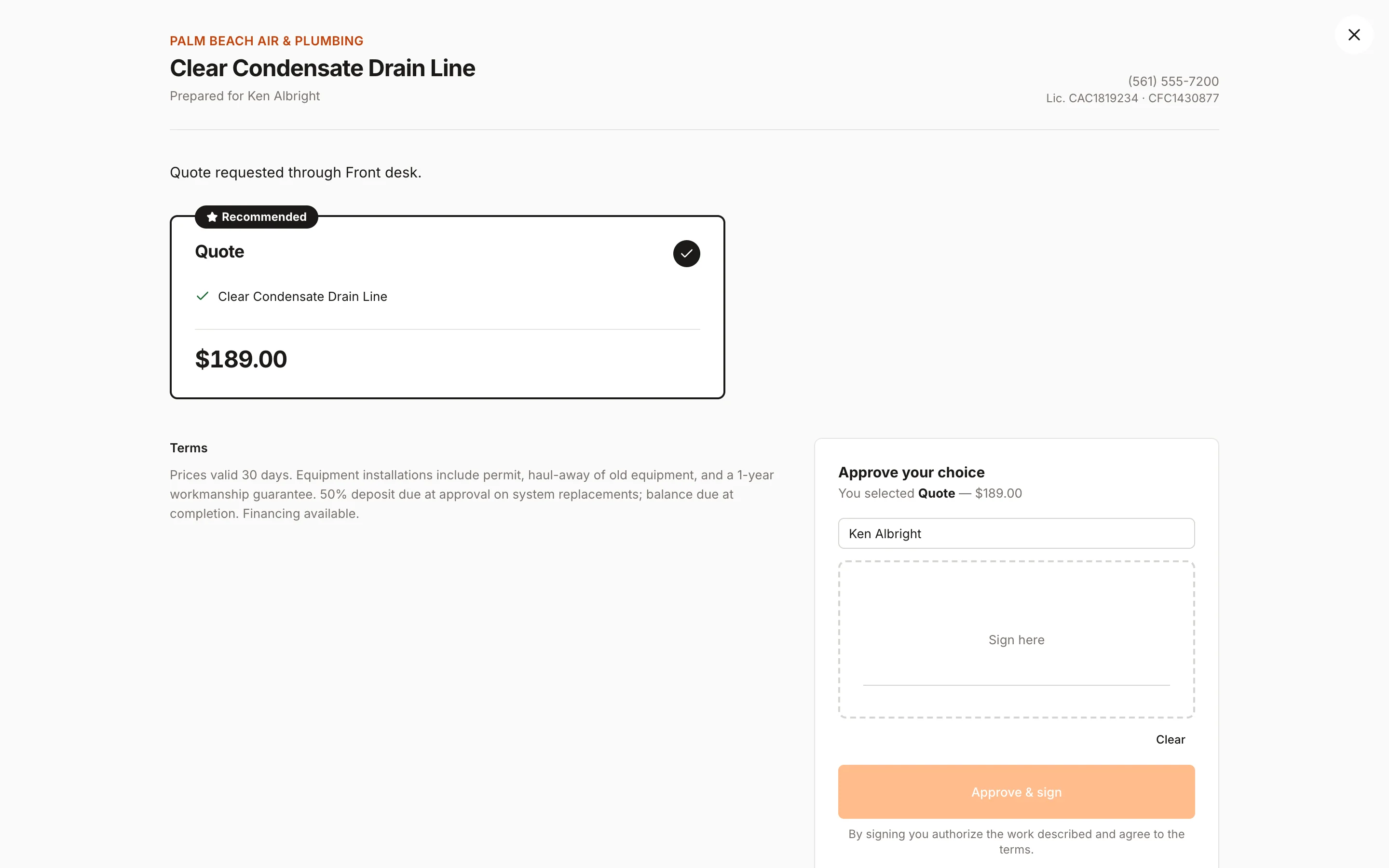
| Estimates and options | Good/better/best options with a recommended pick, present mode and a deposit % on approval (Pro). Approving doesn't create a job automatically; you schedule the work. | Quotes on every plan. Optional line items clients can select (Grow); selected items carry over when the quote is converted to a job.[1],[3] |
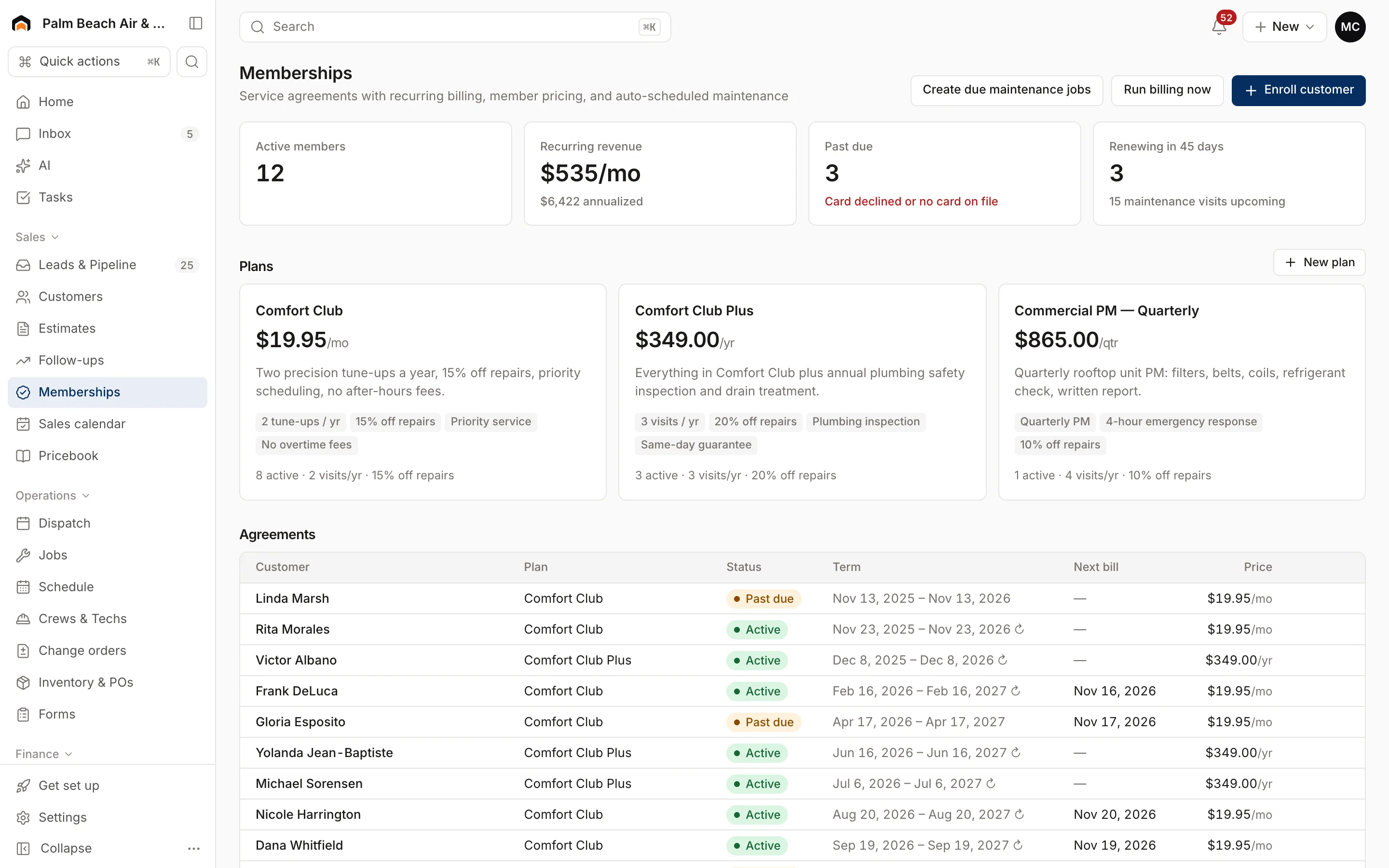
| Memberships | Membership plans (Pro and Scale) billed monthly, quarterly or annually, with included maintenance visits and a repair discount. | Automatic payments for recurring work. No membership or service-agreement feature listed on the pricing page.[1] |
| Dispatch | Dispatch board with timeline, map and capacity views. Optimize routes and AI Suggest for picking a tech. | Scheduling on every plan; routing and GPS tracking appear in the feature comparison.[1] |
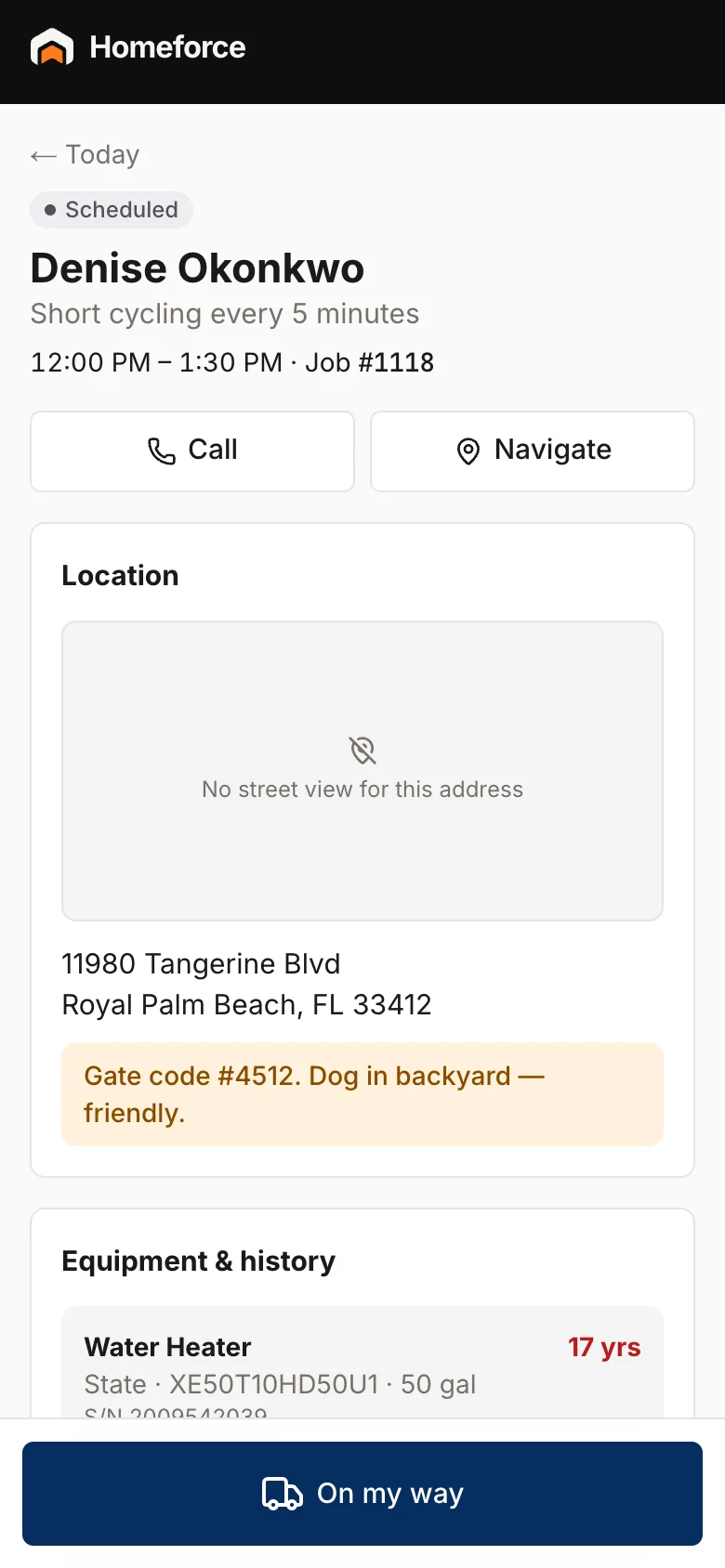
| Mobile and offline | App stores visits from yesterday through the next six days. Visit steps, checklists, photos, estimates and invoices work offline; card payments need signal. | Mobile app included. A March 2026 product update is titled "Keep working in Jobber, even without internet"; the full offline scope isn't listed on the pricing page.[4] |
| Payments | Stripe built in. In-person card reader at 2.7% + 5¢, deposits, pay links and consumer-financing prequalification on options of $500+. | Online payments on every plan: 2.9% + 30¢ cards, 2.7% + 30¢ Tap to Pay, 1% ACH, and an extra 1% for instant payouts.[1] |
| Integrations | Available now: Quo (OpenPhone), Google Calendar, website forms and chat, webhooks and a public API. QuickBooks Online and Zapier are coming soon. | 100+ marketplace apps, QuickBooks Online and Xero sync from Connect, and Zapier.[1] |
| Reporting | Revenue collected, invoiced (service vs projects), average ticket, close rate, team performance and lead-source ROI. | Built-in reporting on every plan; a custom report builder on Plus.[1] |
| AI | AI drafts estimates and follow-ups, cleans up dictated notes, suggests techs and answers questions about your numbers. The AI receptionist runs in an in-app simulator and doesn't answer real calls yet. | AI Receptionist answers calls and texts 24/7 and books visits ($29/mo add-on; listed in Plus).[1],[2] |
Fit
Where Homeforce fits better
You sell choices, not single quotes
Homeforce estimates start with Good, Better and Best options, each with its own discount and total, and present mode shows them side by side on a tablet. Options of $500 or more show an estimated monthly payment, and you can prequalify the customer with a soft credit check right on the estimate.
Maintenance plans are part of your revenue
On Pro and Scale you can build membership plans with monthly, quarterly or annual billing, a set number of maintenance visits and a repair discount. The Memberships page tracks active members, recurring revenue, past-due agreements and renewals coming up in 45 days.
Your office is bigger than your truck count
Homeforce charges by field tech, and dispatchers, CSRs and bookkeepers don't take a seat. If you have three techs and three people in the office, you stay on Starter rather than paying for six users.
Some of your jobs run for weeks
Scale adds projects: phases with dates and budgets on a Gantt view, change orders the customer signs on your screen, progress billing against the updated contract, and a costs tab that compares budget to actual.
Who should stay with Jobber
Stay with Jobber if you're a solo operator or small recurring-service crew and price matters most: Core at $49/mo is well below Homeforce's $99 Starter. Jobber's AI Receptionist answers real calls and texts today, its QuickBooks Online and Xero sync is live, and its 100+ app marketplace covers tools Homeforce doesn't connect to yet. If your bookkeeping depends on a live accounting sync, or you need AI picking up the phone now, Jobber is the safer choice until those Homeforce pieces ship.
What Homeforce looks like
Real screens from the Homeforce app, from our demo HVAC and painting companies.
Switching from Jobber
Homeforce's importer recognizes Jobber CSV exports. Import customers first, then contacts, properties, equipment, estimates, jobs and invoices, so each record matches its customer. You map every column and see a preview of ready and skipped rows before anything is saved, and re-importing a corrected file updates records instead of duplicating them. Your price list comes in through a separate pricebook CSV import. Until QuickBooks Online sync ships, plan to export invoices and payments as CSV for your bookkeeper.
FAQ
Homeforce vs Jobber: common questions
Have a question we didn't cover? Book a demo and ask a product specialist.
Is Homeforce cheaper than Jobber?
Not for a one-person business: Jobber Core is $49/mo and Homeforce Starter is $99/mo (as of November 2026). The gap narrows as your office grows, because Jobber prices by user and Homeforce prices by field tech only. Compare the plan you'd actually need, including any add-ons, before deciding.
Can Homeforce answer my calls like Jobber's AI Receptionist?
Not yet. Homeforce's AI receptionist books real jobs into open time, but today it runs in an in-app simulator and doesn't answer your phone line or website chat. Jobber's Receptionist answers calls and texts now.
Does Homeforce sync with QuickBooks?
QuickBooks Online is listed as coming soon in Homeforce. Until it's live you can export invoices and payments as CSV files from Settings → Data import/export.
How do Homeforce estimate options compare to Jobber's optional line items?
Jobber lets a client tick extra line items on one quote. Homeforce builds separate options (for example Good, Better and Best), each with its own line items, discount and total, and the customer approves one of them.
What happens to a sold estimate in Homeforce?
It's locked with the customer's signature, follow-ups stop, and a deposit invoice is created if you set a deposit %. Homeforce doesn't create the job automatically: you schedule it from the related job or the customer, and you can create the final invoice from the estimate in one click.
Can I bring my Jobber history with me?
Yes. Export CSVs from Jobber and import them in Homeforce; the importer detects Jobber files and walks you through column mapping and a preview before saving.
Sources
Competitor details come from each company's public website and listings on the dates shown. Products change; check the vendor's site for current details. Spot something out of date? Email hello@tryhomeforce.com.
- [1] Jobber pricing page · checked November 3, 2026
- [2] Jobber AI Receptionist page · checked November 3, 2026
- [3] Jobber Help Center: Optional line items on quotes · checked November 3, 2026
- [4] Jobber product update: Keep working in Jobber, even without internet · checked November 3, 2026
- [5] Housecall Pro pricing page · checked November 3, 2026
- [6] GorillaDesk pricing page · checked November 3, 2026
- [7] Workiz pricing page · checked November 3, 2026
- [8] DripJobs pricing page · checked November 3, 2026
Keep exploring
Features compared
Industries
More comparisons
Run your whole business on Homeforce.
We're onboarding early customers a few at a time. Join the waitlist, or see it with your own jobs, techs, and pricebook in a 30-minute demo.
Onboarding early customers · Month-to-month · Free data migration