
Homeforce vs FieldEdge
Homeforce vs FieldEdge
FieldEdge serves HVAC, plumbing and electrical contractors with a real-time QuickBooks integration and onboarding included on every plan. Homeforce is a newer, early-access platform with published per-tech pricing, memberships and options on its Pro plan, and project tools on Scale. FieldEdge details come from its own site and App Store listing, checked November 2026.
Details about FieldEdge checked November 3, 2026, with sources below.
FieldEdge at a glance
Field service software for multi-truck HVAC, plumbing and electrical companies, known for its QuickBooks integration
FieldEdge, part of Xplor, offers dispatch, scheduling, billing, reporting, a flat-rate pricebook and service agreements for trades like HVAC, plumbing, electrical, locksmith and appliance repair. It's sold in Select, Premier and Elite plans with an onboarding specialist on every plan, and it markets a real-time QuickBooks integration.[1],[2],[3],[4]
Pricing: Quote-based. As of November 2026, FieldEdge's pricing page lists Select, Premier and Elite plans without prices, says pricing varies with factors like team size, and includes 2, 4 or 6 mobile app licenses by plan. Proposal Pro and MarketingEdge are "Call for Pricing." There's no free trial.[1]
What FieldEdge does well
- A real-time QuickBooks integration: FieldEdge is a QuickBooks integration partner and says information is entered once and syncs between the two systems.[3]
- Trade-specific pricing tools: a flat-rate pricebook on every plan and Proposal Pro for good-better-best quotes.[1],[2]
- An onboarding specialist is included with every plan.[1]
- Service agreements scale by plan, from basic agreements on Select to advanced service agreements on Premier and Elite.[1]
- The rebuilt FieldEdge Mobile 2.0 app added offline mode for work orders, forms and equipment during 2026.[4]
Worth knowing
- No free trial and no published prices; plans are sold through sales, and the pricing page refers to annual memberships.[1]
- Downgrades take effect only at the end of the current contract period.[1]
- Multi-option quotes start on Premier, and in the Mobile 2.0 app they're marked "coming soon" as of its latest listing.[1],[4]
- Warehouse inventory on Elite is limited to QuickBooks Desktop Enterprise with Advanced Inventory.[1]
- Mobile licenses are capped by plan: 2 on Select, 4 on Premier and 6 on Elite.[1]
Side by side
Homeforce and FieldEdge, feature by feature
| Homeforce | FieldEdge | |
|---|---|---|
| Pricing model | Published by field techs: Starter $99/mo (1–3), Pro $299/mo (up to 10), Scale $799/mo (up to 30). Office staff free. | Quote-based. Select, Premier and Elite with 2, 4 or 6 mobile app licenses; pricing varies with team size (as of November 2026).[1] |
| Contract and trial | Month-to-month; optional annual billing saves 20%. 14-day free trial once you're brought on from the waitlist. | Annual memberships; downgrades at the end of the contract period. No free trial; onboarding specialist instead.[1] |
| Service vs project work | Service jobs with visits; Scale adds projects with phases, change orders, progress billing and daily logs. | Service-focused: dispatch, work orders, invoicing and service agreements. Project phases and progress billing: Not published.[1],[2] |
| Estimates and options | Good/better/best options, present mode, deposits and financing estimates on Pro. Approving doesn't create a job automatically. | Basic quotes on Select; multi-option quotes from Premier; Proposal Pro on Elite or as a paid add-on.[1] |
| Memberships | Membership plans on Pro and Scale: monthly, quarterly or annual billing, included visits and member repair discount. | Basic agreements on Select; advanced service agreements on Premier and Elite; MarketingEdge for agreement upsells.[1],[2] |
| Dispatch | Dispatch board with timeline, map and capacity views; Optimize routes and AI Suggest. | Dispatching, booking and scheduling on every plan; advanced dispatching from Premier.[1] |
| Mobile and offline | Visits from yesterday through the next six days stored on the phone; visit work, estimates and invoices work offline. Card payments need signal. | FieldEdge Mobile 2.0 added offline mode for work orders, forms and equipment in 2026; multi-option quotes marked coming soon in the app.[4] |
| Payments | Stripe built in; card reader at 2.7% + 5¢; deposits, pay links and consumer-financing prequalification. | FieldEdge Payments with built-in card processing, paperless invoicing and on-site readers. Rates: Not published.[2] |
| Accounting and integrations | Available now: Quo (OpenPhone), Google Calendar, website forms and chat, webhooks and a public API. QuickBooks Online is coming soon; CSV export meanwhile. | Real-time QuickBooks integration included on all plans; Elite warehouse inventory requires QuickBooks Desktop Enterprise with Advanced Inventory.[1],[3] |
| Reporting | Revenue, invoiced, average ticket, close rate, team performance and lead-source ROI. | Reporting on all plans; 10 saved reports on Premier, unlimited saved reports on Elite.[1] |
| AI | AI estimate and follow-up drafts, dictation, dispatch suggestions, Copilot and Coach. The AI receptionist is simulator-only for now. | No AI features listed on FieldEdge's homepage or pricing page.[1],[2] |
Fit
Where Homeforce fits better
You want to try it before you sign
Homeforce publishes its prices, plans are month-to-month, and when your company comes off the waitlist you get a 14-day free trial with every feature turned on.
Your crew is growing past a handful of licenses
Homeforce counts field techs (3, 10 or 30 by plan) and doesn't charge for office staff, so you can size the plan to your trucks.
Your techs sell options in the home
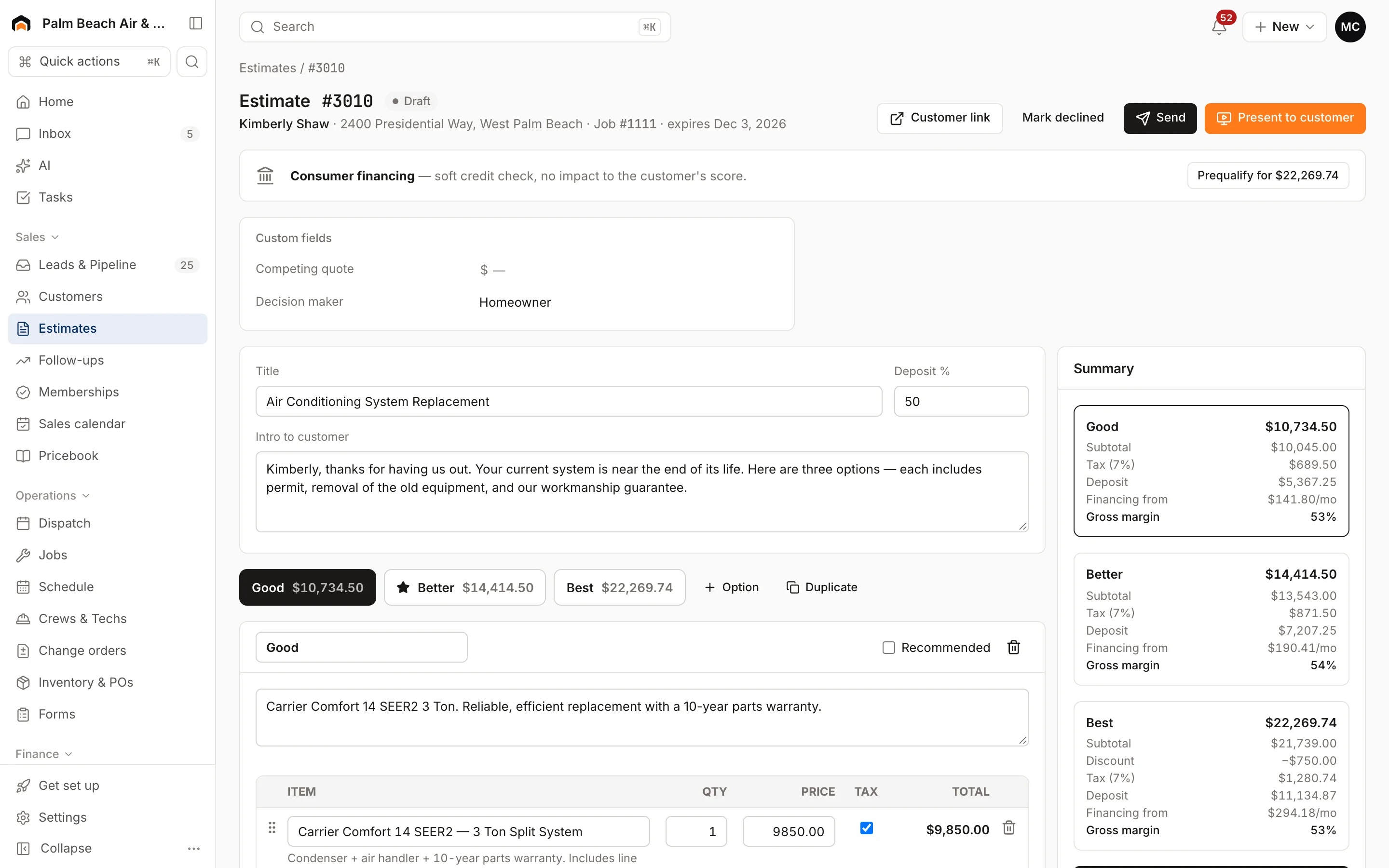
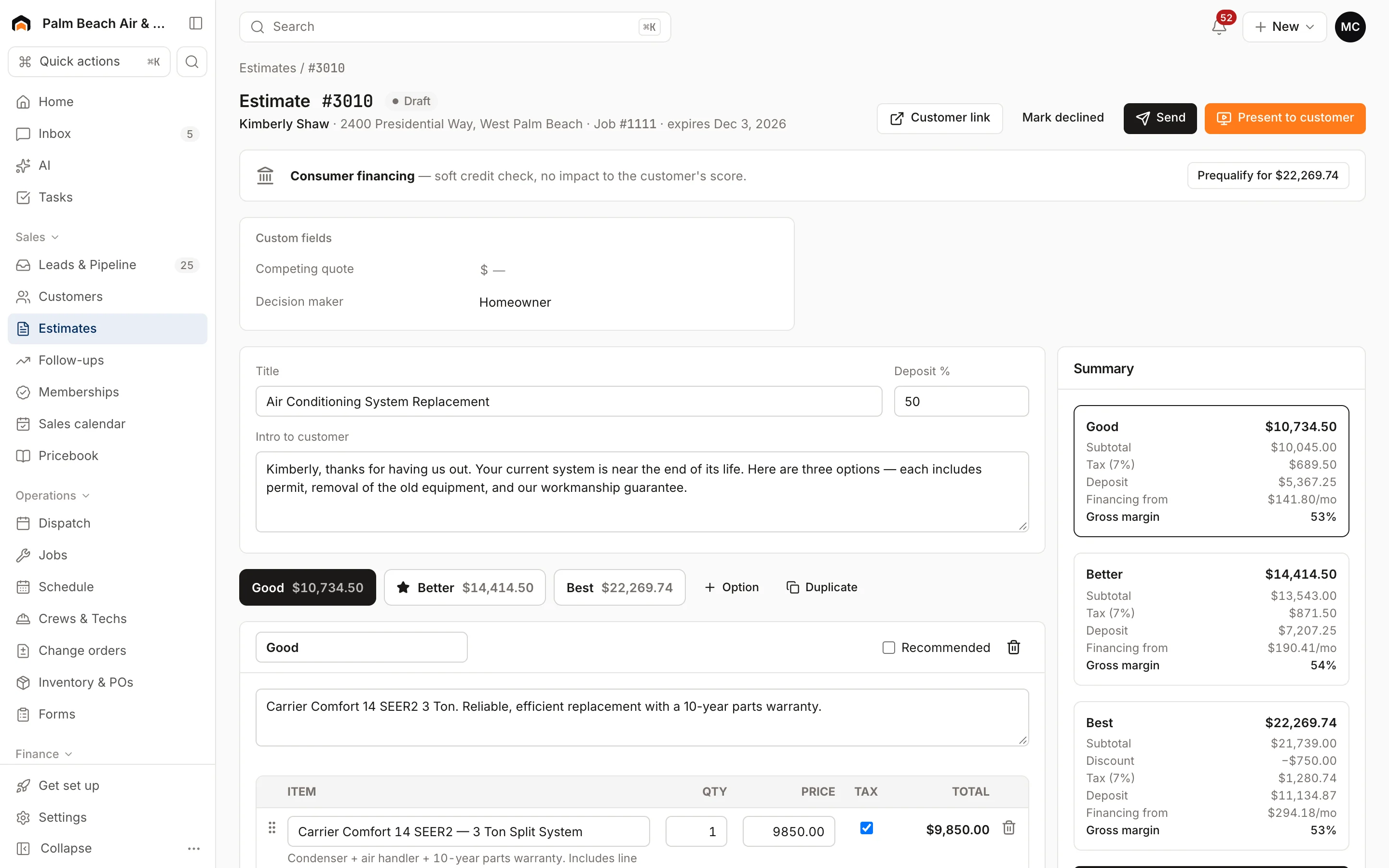
Good/better/best options, present mode on a tablet, a deposit on approval and an estimated monthly payment on options of $500 or more are all part of Homeforce Pro, and the tech app can build estimates offline from your pricebook.
You want AI help with the busywork
Homeforce drafts estimates from job notes, writes follow-ups on open estimates, turns dictated notes into clean write-ups and suggests the best tech for a visit. Every draft waits for a person to approve it.
Who should stay with FieldEdge
Stay with FieldEdge if QuickBooks, especially QuickBooks Desktop, is the center of your back office. Its real-time integration is live today, while Homeforce's QuickBooks Online and QuickBooks Desktop connections are both still coming soon. FieldEdge also includes an onboarding specialist on every plan, which suits teams that prefer guided setup over a self-serve trial, and it's built around HVAC, plumbing and electrical work.
What Homeforce looks like
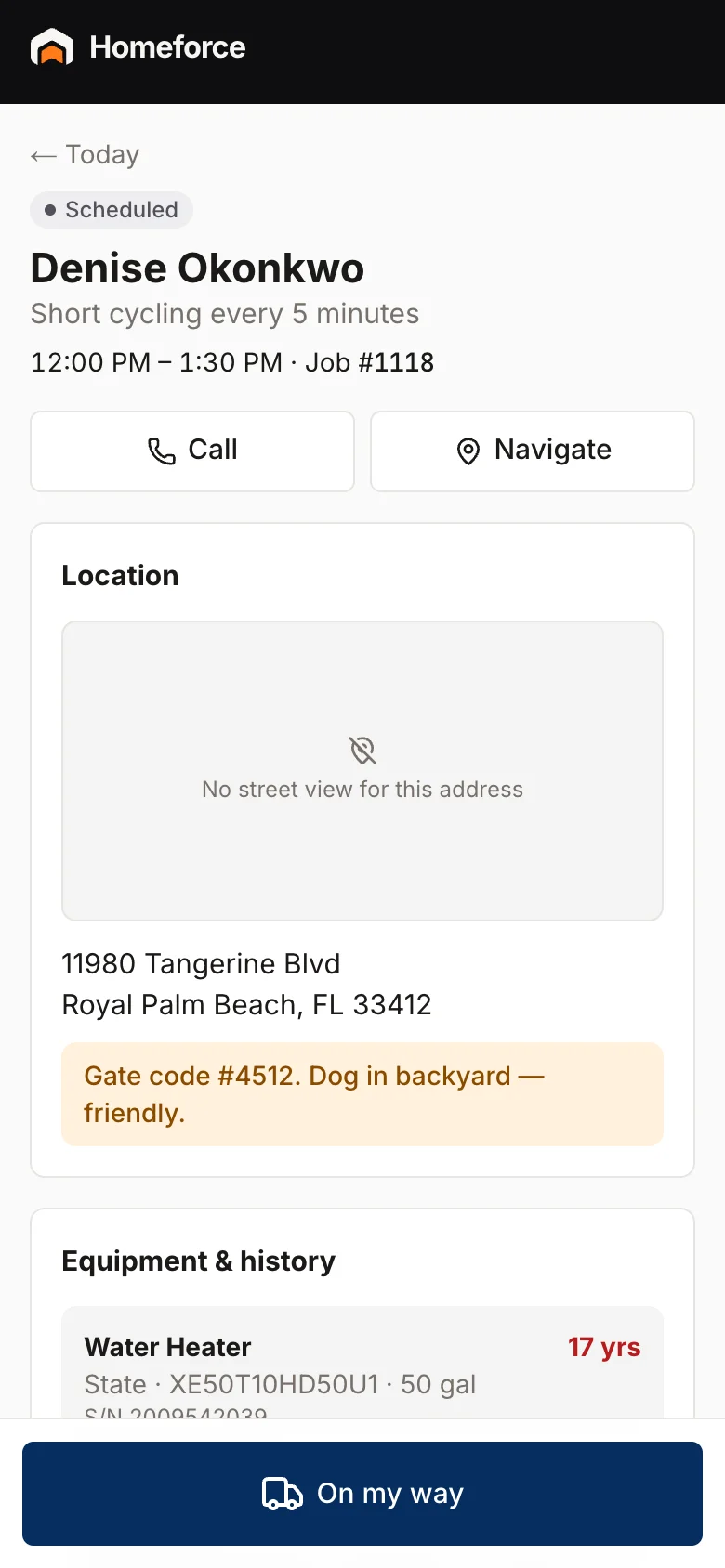
Real screens from the Homeforce app, from our demo HVAC and painting companies.
Switching from FieldEdge
Export customers, equipment, work orders and invoices from FieldEdge to CSV. Homeforce's importer treats them as spreadsheet files: map each column to a Homeforce field, check the preview and import customers first, then properties, equipment, estimates, jobs and invoices. Load your flat-rate pricebook through the pricebook CSV import, which takes SKU, cost, price, member price, markup and hours. Keep FieldEdge's QuickBooks sync running until your last open invoices close, since Homeforce's QuickBooks connection isn't live yet.
FAQ
Homeforce vs FieldEdge: common questions
Have a question we didn't cover? Book a demo and ask a product specialist.
Does Homeforce integrate with QuickBooks like FieldEdge does?
Not yet. QuickBooks Online and QuickBooks Desktop are both listed as coming soon in Homeforce. If a live QuickBooks sync is essential today, FieldEdge has one.
Can I try FieldEdge or Homeforce before buying?
FieldEdge doesn't offer a free trial; it provides an onboarding specialist instead. Homeforce gives a 14-day free trial when your company is brought on from the waitlist.
How do service agreements compare?
FieldEdge offers basic agreements on Select and advanced ones on Premier and Elite. Homeforce membership plans (Pro and Scale) set price, billing frequency, visits per year, repair discount and perks, then create maintenance jobs and track renewals.
Does FieldEdge publish its prices?
No. As of November 2026 its pricing page lists Select, Premier and Elite with pricing on request. Homeforce lists $99, $299 and $799 per month by tech count.
Will my flat-rate pricebook carry over?
Yes, via CSV. Homeforce's pricebook import accepts type, SKU, name, description, category, unit, cost, price, member price, markup, taxable and hours, with a validation preview before saving.
Sources
Competitor details come from each company's public website and listings on the dates shown. Products change; check the vendor's site for current details. Spot something out of date? Email hello@tryhomeforce.com.
- [1] FieldEdge pricing page · checked November 3, 2026
- [2] FieldEdge homepage · checked November 3, 2026
- [3] FieldEdge QuickBooks partner page · checked November 3, 2026
- [4] App Store: FieldEdge Mobile 2.0 by Xplor · checked November 3, 2026
- [5] ServiceTitan pricing page · checked November 3, 2026
- [6] Housecall Pro pricing page · checked November 3, 2026
- [7] Jobber pricing page · checked November 3, 2026
Keep exploring
Features compared
Industries
More comparisons
Run your whole business on Homeforce.
We're onboarding early customers a few at a time. Join the waitlist, or see it with your own jobs, techs, and pricebook in a 30-minute demo.
Onboarding early customers · Month-to-month · Free data migration