
Siding software
Siding software that sells the whole house and keeps the install on schedule.
Measure in squares and quote vinyl, engineered wood, and fiber cement side by side, collect the deposit that orders the material, keep crews off the wall on rain days, and document lead-safe and silica practices on every job.
We're onboarding early customers — join the waitlist or book a demo.
Why Homeforce
Built around how siding businesses actually work.
The problems siding owners run into most — and how Homeforce handles each one.
- 01
Problem: Homeowners compare a vinyl bid to a fiber cement bid and only see the price gap.
With Homeforce: Present product lines side by side with warranty, trim package, and a monthly payment for each, and let the homeowner choose on the spot.
- 02
Problem: Material gets ordered before the deposit clears.
With Homeforce: Set a deposit on the estimate. The homeowner pays it right after signing, and the final invoice credits it automatically.
- 03
Problem: A rain day on tear-off pushes three crews and nobody tells the homeowners.
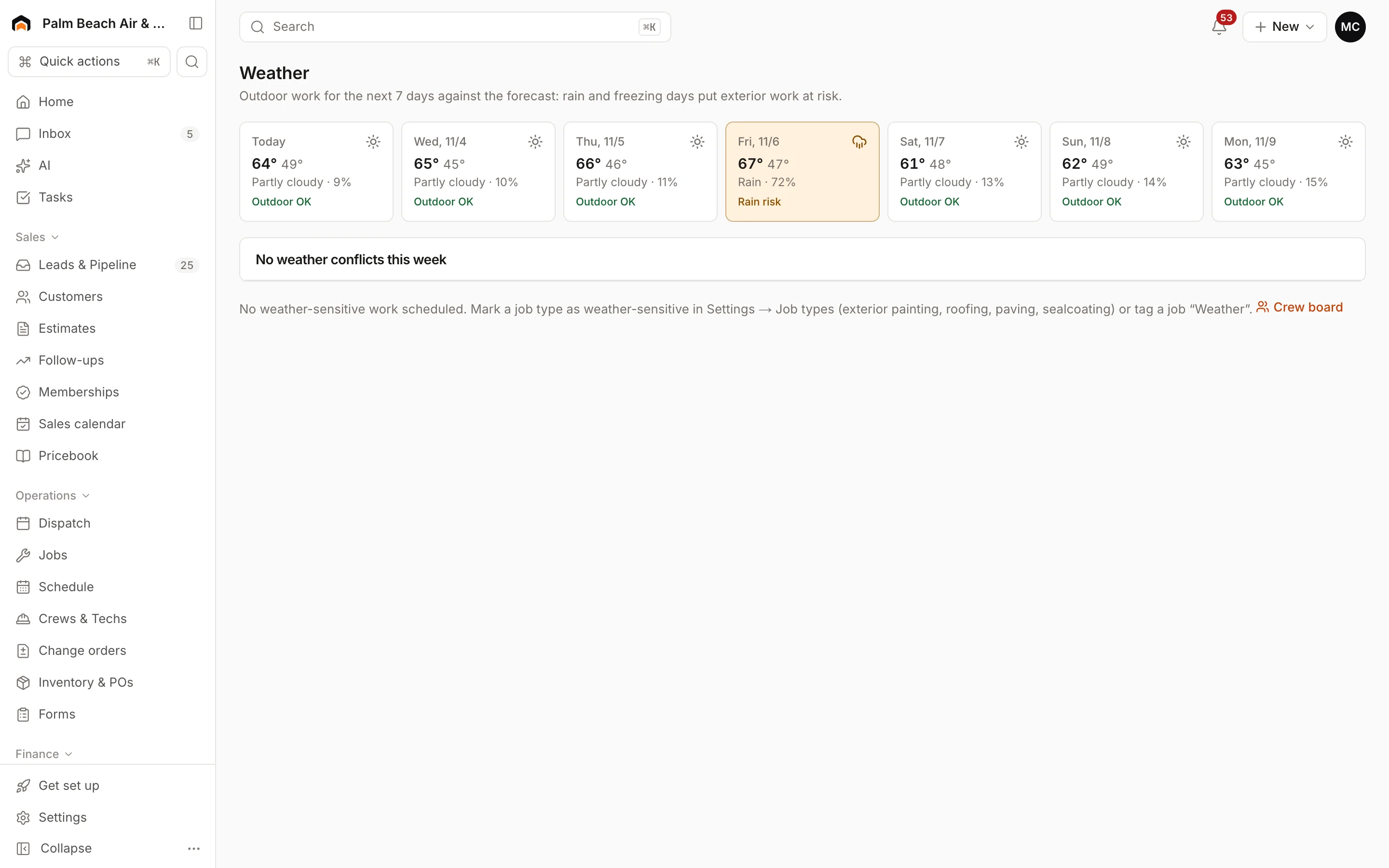
With Homeforce: Mark siding job types weather sensitive. At-risk days are flagged, and one click moves the job, its later days, and texts the customer.
- 04
Problem: Older homes and fiber cement cutting come with rules the crew has to follow and you have to prove.
With Homeforce: Checklists for lead-safe setup and silica dust controls, with required items and photos, can't be marked complete until every step is recorded.
How it works
A day in a siding business, on Homeforce.
Full re-sides, storm repairs, trim and soffit, and color changes, from the measure to the final walk.
By the square
Three product lines, one kitchen-table conversation.
Enter wall area in squares, add trim, soffit, fascia, and wrap from your pricebook, and duplicate the option to swap the product line. Each option shows its own price and an estimated monthly payment, and present mode lets the homeowner compare them full-screen.
Crews & weather
Move the tear-off, not the whole month.
Book re-sides in crew days on the crew board with the lift or dump trailer you need. When the forecast fails a day, the Weather page suggests a make-up day, shifts the job's later days with it, and texts the homeowner if you leave that checked.
Job checklists
The rules are on the checklist, not in someone's head.
On homes built before 1978, removing painted siding and trim can fall under EPA's Renovation, Repair and Painting rule. Cutting fiber cement creates respirable silica dust covered by OSHA's silica standard. Build required checklist items for both and attach them to the job types where they apply.
Insurance work
Hail and wind jobs with the paperwork attached.
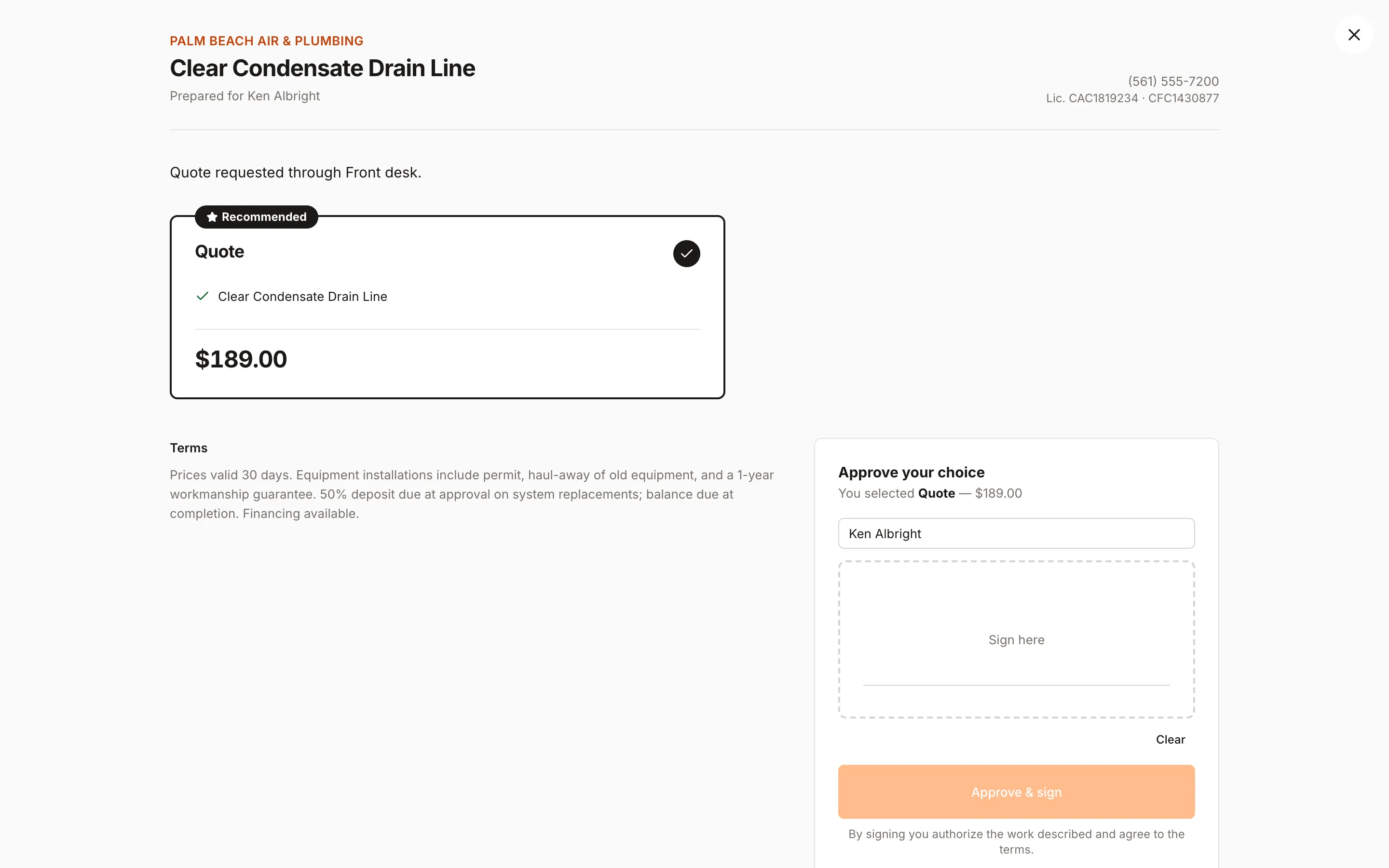
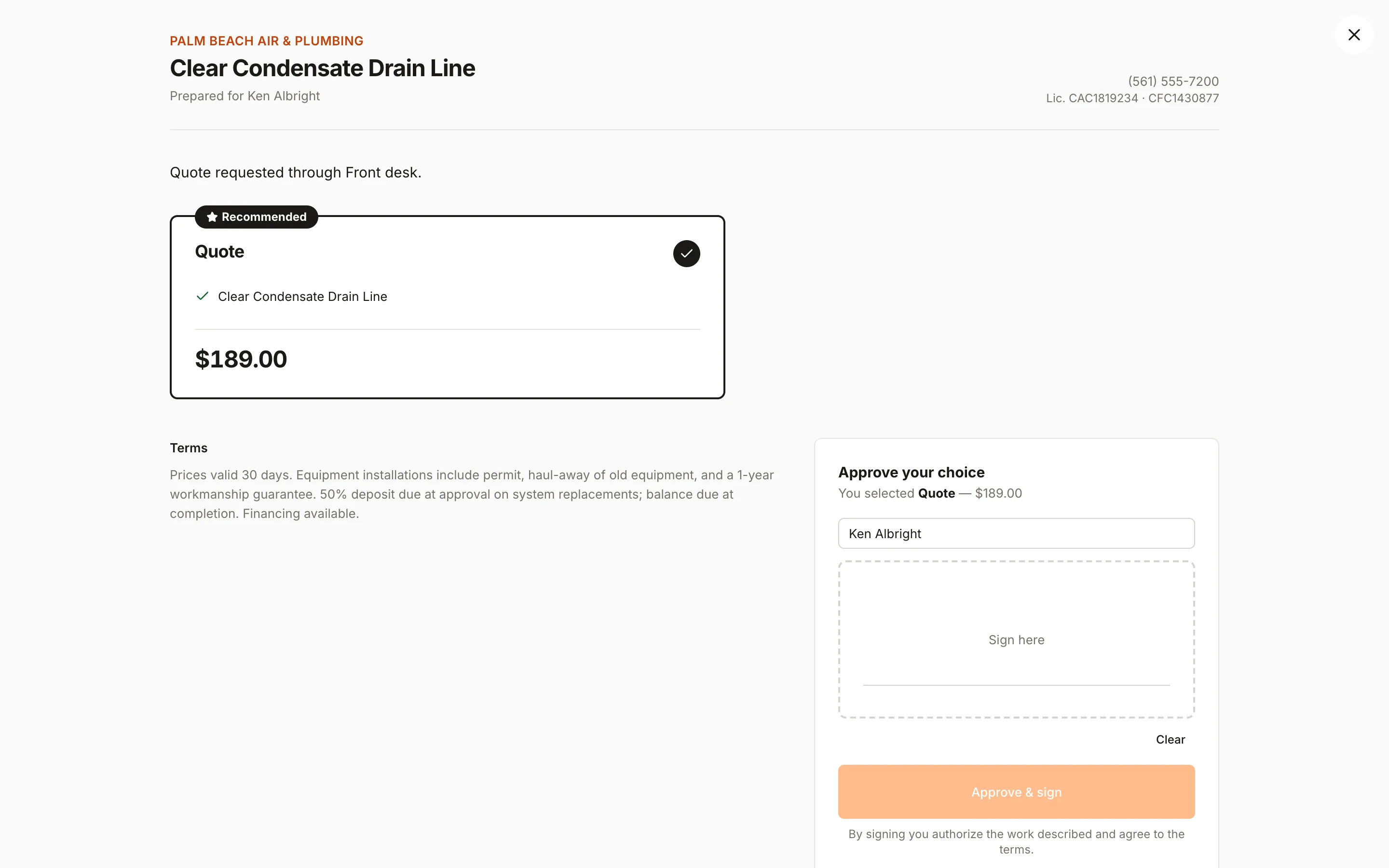
Inspections book as sales appointments. Record the claim number and adjuster in custom fields, photograph damage elevation by elevation, and send an estimate the homeowner can approve from a link. Print or email the invoice for the adjuster when the job's done.
Get paid
Material deposit at signing, balance at the final walk.
The homeowner pays the deposit right after they approve. When the punch list is done, create the final invoice from the approved estimate with the deposit credited, and the customer pays by card or bank transfer from the link.
Built for siding
The features siding teams use most.
- Estimates & proposalsGood / better / best options, signed on the spot.Learn more
- Consumer financingMonthly payment options that keep big jobs moving.Learn more
- Dispatch & schedulingOne drag-and-drop board for every tech and job.Learn more
- Forms & checklistsConsistent inspections, photos, and sign-offs on every job.Learn more
- Sales pipelineTrack every open estimate and lead until it closes.Learn more
- PaymentsCard and ACH by pay link or card reader.Learn more
- Projects & job costingMulti-week jobs scheduled, tracked, and costed live.Learn more
- ReviewsAsk every happy customer for a review at the right moment.Learn more
On the wall
The crew lead knows the product, the color, and the rules.
Crew leads open the day's visit to see the product line, color, trim details, and any HOA notes. They work the lead-safe or silica checklist, take before and after photos of each elevation, and get the homeowner's sign-off at the final walk.
- Before and after photos by elevation
- Checklists with required items for lead-safe and silica steps
- Punch list for caulk, trim, and cleanup before the final invoice
Homeforce for siding, on real screens
Screens from the Homeforce app, taken from our demo companies.
FAQ
Siding software questions, answered.
Have a question we didn't cover? Book a demo and ask a product specialist.
Can I estimate siding by the square?
Yes. Price pricebook items per square for each product line, plus linear-foot items for trim, soffit, fascia, and starter, and add waste as its own line or in your rates. A number custom field can hold the measured squares.
Can homeowners compare vinyl, engineered wood, and fiber cement?
Yes. Each product line is its own option with its price, details, and an estimated monthly payment for options of $500 or more. You can prequalify the homeowner for financing on the estimate with a soft credit check.
Does Homeforce help with EPA lead-safe (RRP) requirements?
You can build a required lead-safe checklist, attach it to your tear-off job types, and keep photos on the job. The RRP rule's certification, work practice, and recordkeeping requirements are still yours to meet. Homeforce gives you a place to document them.
How are rain days handled?
Mark siding job types weather sensitive. The Weather page flags days with a 70% or higher chance of rain or a high below freezing, suggests a make-up day, moves the job's later days with it, and can text the customer.
Can I track HOA approvals?
Yes. Add a checkbox custom field like "HOA approval received" and a saved jobs view filtered to the ones still waiting, shared with the office.
More for siding businesses
Run your siding business on Homeforce.
We're onboarding early customers a few at a time. Join the waitlist, or see it with your own jobs, techs, and pricebook in a 30-minute demo.
Onboarding early customers · Month-to-month · Free data migration