
Scheduling
How to reduce no-shows for home service appointments
How to reduce no-shows when customers aren't home or cancel last minute: reminder timing, arrival windows, on-my-way texts, trip charges and easy rescheduling.
The Homeforce team · · 8 min read
The quickest way to reduce no-shows in a home service business is to confirm every appointment as soon as it's booked. Then send a reminder the day before, and text when the tech leaves for the job. Give customers an arrival window they can plan around, have a clear trip-charge and cancellation policy, and make rescheduling easier than just not answering the door. Then track your no-show rate every month so you know whether it's working.
In home services, a "no-show" usually means the customer wasn't home, didn't answer, or cancelled after the tech was already on the way. Each one burns a truck, a tech's time and a slot you could have sold to someone else. Here's how to cut them down.
Why do customers miss home service appointments?
Most missed appointments aren't customers being rude. The usual causes:
- They forgot. The job was booked a week ago, and nobody mentioned it since.
- The window was too vague. "Sometime Tuesday" is hard to plan a day around, so they ran an errand.
- Plans changed and cancelling felt like a hassle. If the only option is calling during office hours, many people just don't.
- They shopped around. Someone else could come sooner, and they didn't tell you.
- The problem went away. The AC kicked back on, or the leak stopped, so they stopped caring about the visit.
- Wrong contact info or no access. A tenant, a gate code, or a spouse who didn't know.
Every tactic below targets one or more of these.
Do appointment reminders actually reduce no-shows?
Yes. The best research comes from healthcare, where missed appointments are tracked carefully.
- A Cochrane systematic review of randomized trials found that text reminders raised attendance from 67.8% with no reminder to 78.6%. Text reminders worked about as well as phone call reminders (80.3%) and cost less per attended appointment. The authors rated the evidence low to moderate quality.
- A systematic review in the Journal of Telemedicine and Telecare, hosted by the National Library of Medicine, looked at 29 studies. Reminders cut non-attendance by 34% of baseline on average. Automated reminders by text or automated call cut it by 29%, and reminders sent the day before worked about as well as ones sent a week before.
A doctor's appointment isn't a furnace tune-up, so don't expect the exact same numbers. But the direction is clear: a timely reminder is the cheapest no-show fix you have.
When should you send appointment reminders?
A simple cadence that works for most service visits:
- Right after booking: a confirmation with the date, the arrival window, your company name and what to expect.
- About 24 hours before: a reminder that repeats the window and asks them to reply if they need to change it.
- When the tech heads out: an "on my way" text with the tech's name and an ETA.
For jobs booked weeks out, like an install or a seasonal tune-up, add a reminder a few days before. That gives you time to fill the slot if they cancel.
Arrival windows vs exact appointment times
Exact times sound customer-friendly, but service calls run long and traffic happens. A missed "10:00 sharp" annoys customers more than an honest window. Most home service companies book arrival windows instead.
- Shorter windows (2 hours) are easier for customers to plan around, which means fewer people stepping out.
- Longer windows (4 hours) give dispatch room for calls that run over, but customers are more likely to give up and leave.
One reasonable setup is 2-hour windows for service calls and exact times for sales appointments, where a homeowner has set aside time to meet. Whatever you choose, put the window in every confirmation and reminder, word for word.
The "on my way" text is the most important message you send
The day-before reminder catches people who forgot. The on-my-way text catches people who stepped out. "Hi Sam, Maria from Acme Heating is on the way and should arrive in about 20 minutes" gives the customer one last chance to say "I'm not home." It also gives them time to get home, or to put the dog away. When they reply, the tech can reroute to the next call instead of sitting in the driveway.
Make sure the text comes from a number customers can reply to, and that someone in the office is watching the replies.
Should you charge a trip fee or deposit for no-shows?
A trip charge or deposit gives customers a reason to show up, or at least to call. Common approaches:
- A trip or diagnostic fee charged whether or not the work goes ahead. Tell the customer when they book, not at the door.
- A cancellation policy: for example, free changes until 24 hours before, then the trip fee applies. Put it in the booking confirmation.
- A deposit on larger scheduled work like installs, where a no-show can wipe out a whole day's schedule. For how much to ask, see how much deposit a contractor should ask for.
Be consistent but human. Waiving the fee once for a long-time customer with a real emergency builds more goodwill than it costs. A policy you never enforce does nothing.
Make rescheduling easier than ghosting
If changing an appointment means calling during business hours and waiting on hold, many customers just won't be home. Lower the effort:
- Let customers reply to the reminder text to reschedule, and answer quickly.
- Offer online booking so they can pick a new window at 10 p.m. without calling.
- When someone cancels, offer two specific times right away ("Thursday 8-10 or Friday 12-2?") instead of "call us when you're ready."
- Keep a short list of customers who wanted a sooner slot, and offer them the opening.
Texting rules: get consent and honor STOP
Texts are regulated. The FCC has confirmed that a text message counts as a "call" under the Telephone Consumer Protection Act (TCPA). It says the law restricts automated texts sent without the recipient's prior express consent, and marketing texts sent that way need prior express written consent. In practice:
- Get the customer's OK to text them when they book, and note it.
- Keep appointment texts about the appointment. Don't slip promotions into reminders.
- Honor opt-outs like STOP right away.
This is general information, not legal advice. If you plan to send marketing texts, talk to an attorney.
How to track your no-show rate (and what it costs you)
You can't fix what you don't measure. Your no-show rate is:
No-show rate = visits where the customer wasn't home or cancelled on the day ÷ total visits scheduled
Track it monthly and by job type. Here's an example of what it costs. These inputs are made up for illustration, so swap in your own.
Say you run 75 scheduled visits a week and have 3 no-shows.
- No-show rate: 3 ÷ 75 = 4%
- Your average ticket on a service call is $350.
- 70% of service visits turn into paid work. That's your close rate.
- Revenue lost per week: 3 × $350 × 70% = $735
- Over 50 working weeks: $735 × 50 = $36,750 a year
Then add the wasted time. If each no-show burns 1 hour of a tech whose loaded cost is $45 an hour, that's 3 × $45 = $135 a week, or $6,750 a year. Altogether, that's about $43,500 a year from three missed visits a week.
Now say better reminders and on-my-way texts cut no-shows from 3 to 2 a week. That's worth about $14,500 a year in this example: one third of $43,500. Most of the fixes above cost little more than some setup time.
Doing this in Homeforce
Homeforce sends the standard appointment messages automatically from Settings → Automated messages, and you can edit the wording:
- A booking confirmation by text and email, with the date and arrival window
- An appointment reminder by text about 24 hours before
- An on my way text with the tech's name and ETA, sent when the tech taps On my way in the mobile app
- A job completed text when the visit is closed out
You set your default arrival window (exact time or 1 to 4 hours) in settings, and it shows up in the confirmation and reminder. Customers who reply land in your shared inbox through two-way texting, so the office can reschedule from the conversation. Customers who reply STOP aren't texted. Rescheduling a visit doesn't send a new confirmation, so send a quick text yourself after you move one.
Online booking lets customers pick an open window inside your business hours, any time of day, and they get a confirmation text right away.
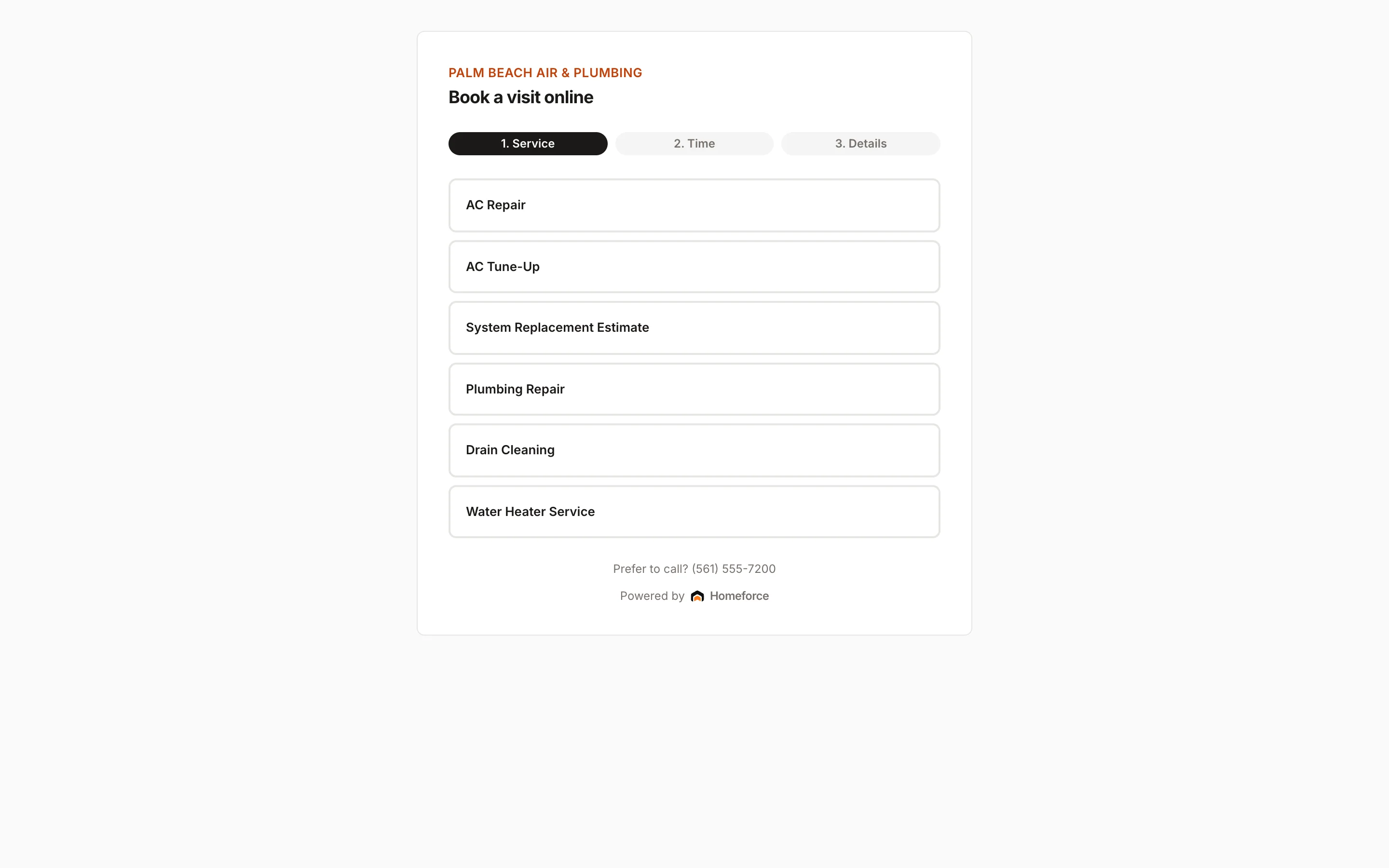
Texts go out once your texting is set up, for example through a connected phone system like Quo. To see the whole board, start with dispatch and scheduling.
FAQ
What is a good no-show rate for a home service business?
There's no reliable industry-wide benchmark for home services, so compare yourself to your own history. Measure your rate for a month, change one thing, like adding an on-my-way text, and measure again. A falling rate matters more than hitting a particular number.
How far in advance should I send an appointment reminder?
Send a confirmation when the visit is booked and a reminder about a day before. One large review of reminder studies found day-before and week-before reminders worked about equally well. For jobs booked weeks out, add a reminder a few days before so you can refill the slot if they cancel.
Is it legal to text customers appointment reminders?
Generally yes, if the customer gave you their number and agreed to be contacted about the appointment. Under the TCPA, automated texts need the recipient's prior express consent, and marketing texts need prior express written consent. Always honor STOP, and get legal advice before sending promotional texts.
Should I charge customers for missed appointments?
Many contractors charge a trip or diagnostic fee, or ask for a deposit on larger jobs. It works best when the policy is explained at booking and repeated in the confirmation. Apply it consistently, but use judgment with loyal customers and real emergencies.
Sources
- Mobile phone messaging reminders for attendance at healthcare appointments, Cochrane. Accessed 2026-11-03.
- Use of telephone and SMS reminders to improve attendance at hospital appointments: a systematic review, Journal of Telemedicine and Telecare via PubMed Central (U.S. National Library of Medicine). Accessed 2026-11-03.
- Rules and Regulations Implementing the Telephone Consumer Protection Act of 1991, FCC 23-49, Federal Communications Commission. Accessed 2026-11-03.