Air duct cleaning software
Air duct cleaning software that shows the customer exactly what you cleaned.
Quote by system and vent count with no surprises at the door, let customers book online, prove the work with before and after photos of the ducts, and bring every dryer vent customer back next year.
We're onboarding early customers — join the waitlist or book a demo.
Why Homeforce
Built around how air duct cleaning businesses actually work.
The problems air duct cleaning owners run into most — and how Homeforce handles each one.
- 01
Problem: Customers have been burned by $99 whole-house specials and don't trust any price.
With Homeforce: Quote a clear price by system and number of supply and return vents before you arrive, with options spelled out line by line.
- 02
Problem: "Did they actually clean anything?"
With Homeforce: Techs take before and after photos of the plenum, trunk lines, and registers, and the customer signs off on the work in the app.
- 03
Problem: Dryer vent cleanings are one-and-done and the customer never calls back.
With Homeforce: Sell an annual dryer vent plan. Homeforce creates the visit as a job ahead of its due date and charges the card on file.
- 04
Problem: Half the calls are price shoppers who never book.
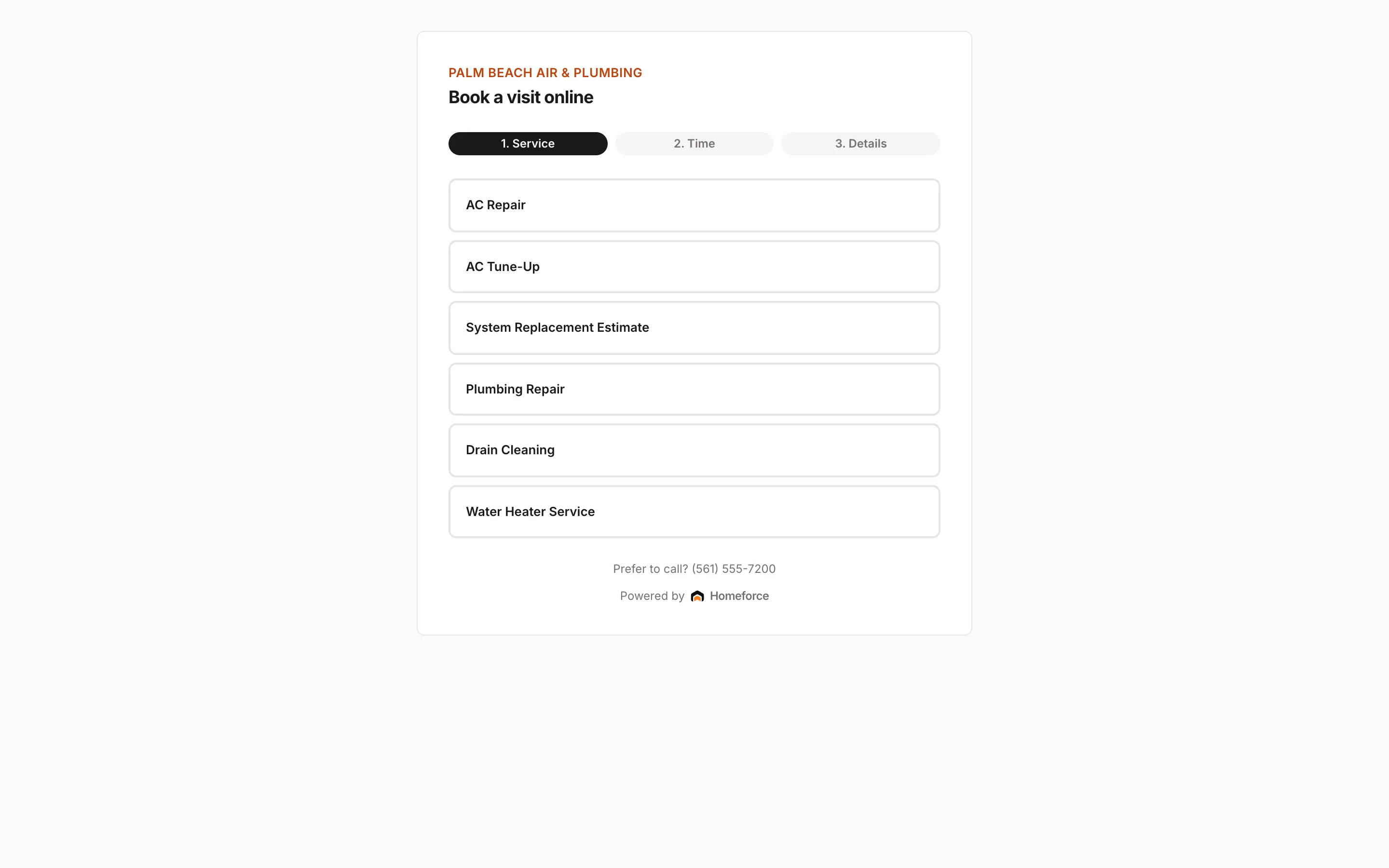
With Homeforce: Online booking lets serious customers pick a service and an open arrival window, limited to the ZIP codes you serve.
How it works
A day in a air duct cleaning business, on Homeforce.
Whole-system duct cleaning, dryer vents, coil cleaning, and add-ons, from the first booking to next year's reminder.
Per system, not per surprise
A price the customer sees before you show up.
Build pricebook items per system and per vent, plus add-ons like dryer vent cleaning, blower and coil cleaning, and a sanitizer application where the label allows it. Offer tiers so the customer chooses between ducts only and a full system clean.
Self-serve
Let customers book the slot instead of the callback.
Make duct cleaning and dryer vent job types bookable online. Customers pick the service, a day in the next ten, and an open arrival window, and the job lands on your board with a qualified tech assigned when one is free.
Proof of work
Photos that end the "did you clean it?" call.
A checklist walks the tech through the system: negative air connected, each trunk and branch agitated, registers cleaned, access holes sealed. Before and after photos attach to the visit, and the customer signs off on the screen before the tech leaves.
Memberships
Bring the dryer vent back every year.
Create a plan with one included visit a year and annual billing. Homeforce creates the visit as an unscheduled job about three weeks before it's due, and members get their member price on duct cleaning and other add-ons.
Marketing
Reach the customers who are due.
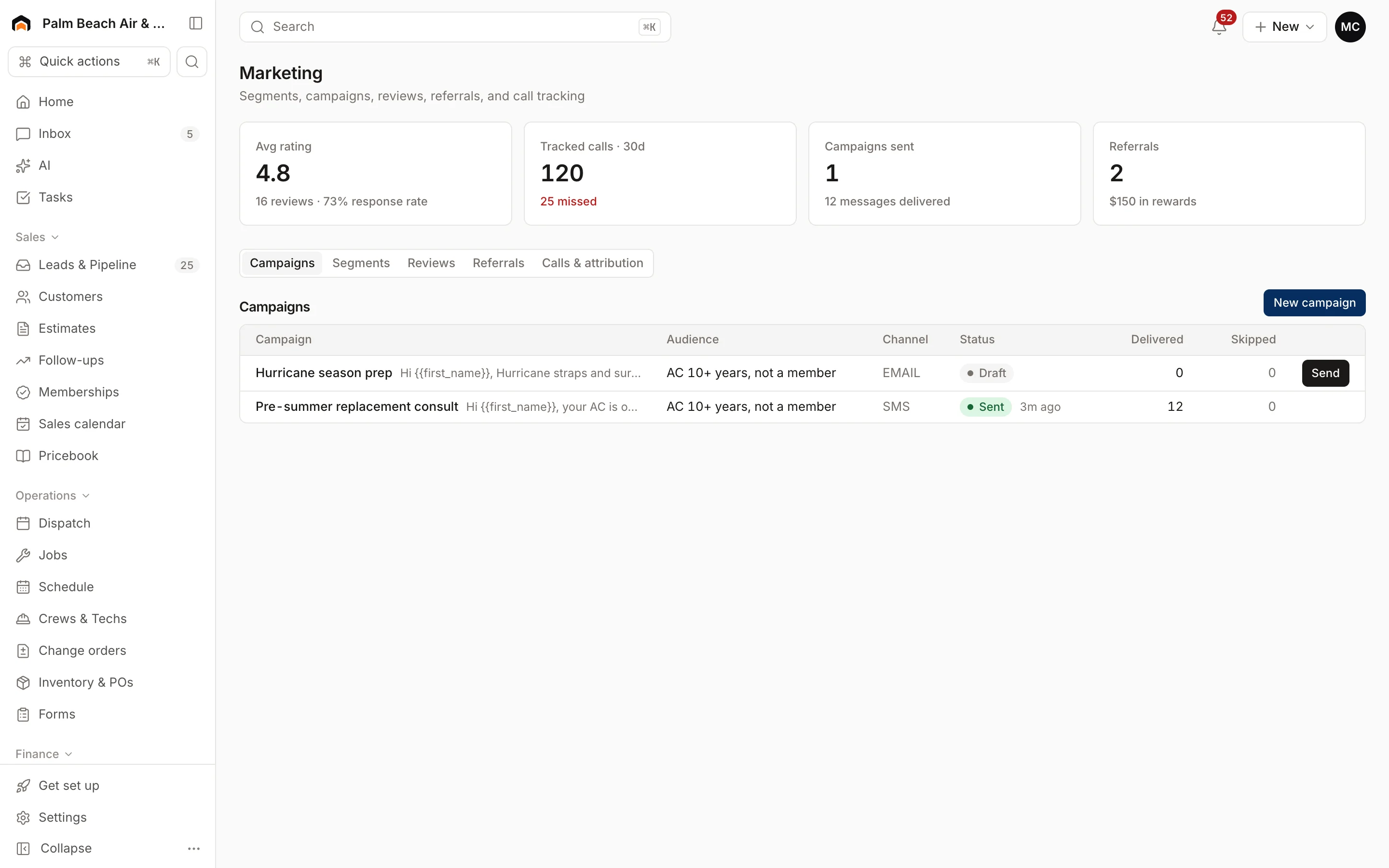
Build a segment like "Days since last service over 1,000" and send a text or email campaign. After each paid invoice, Homeforce can ask for a review automatically.
Built for air duct cleaning
The features air duct cleaning teams use most.
- Online bookingLet customers book real open slots from your website.Learn more
- Estimates & proposalsGood / better / best options, signed on the spot.Learn more
- Forms & checklistsConsistent inspections, photos, and sign-offs on every job.Learn more
- Memberships & service agreementsRecurring revenue that renews, bills, and schedules itself.Learn more
- Mobile appEverything techs need in the field — even offline.Learn more
- Marketing campaignsEmail, SMS, and postcards aimed at your own customer list.Learn more
- ReviewsAsk every happy customer for a review at the right moment.Learn more
- PaymentsCard and ACH by pay link or card reader.Learn more
In the house
The tech walks in with the price and walks out paid.
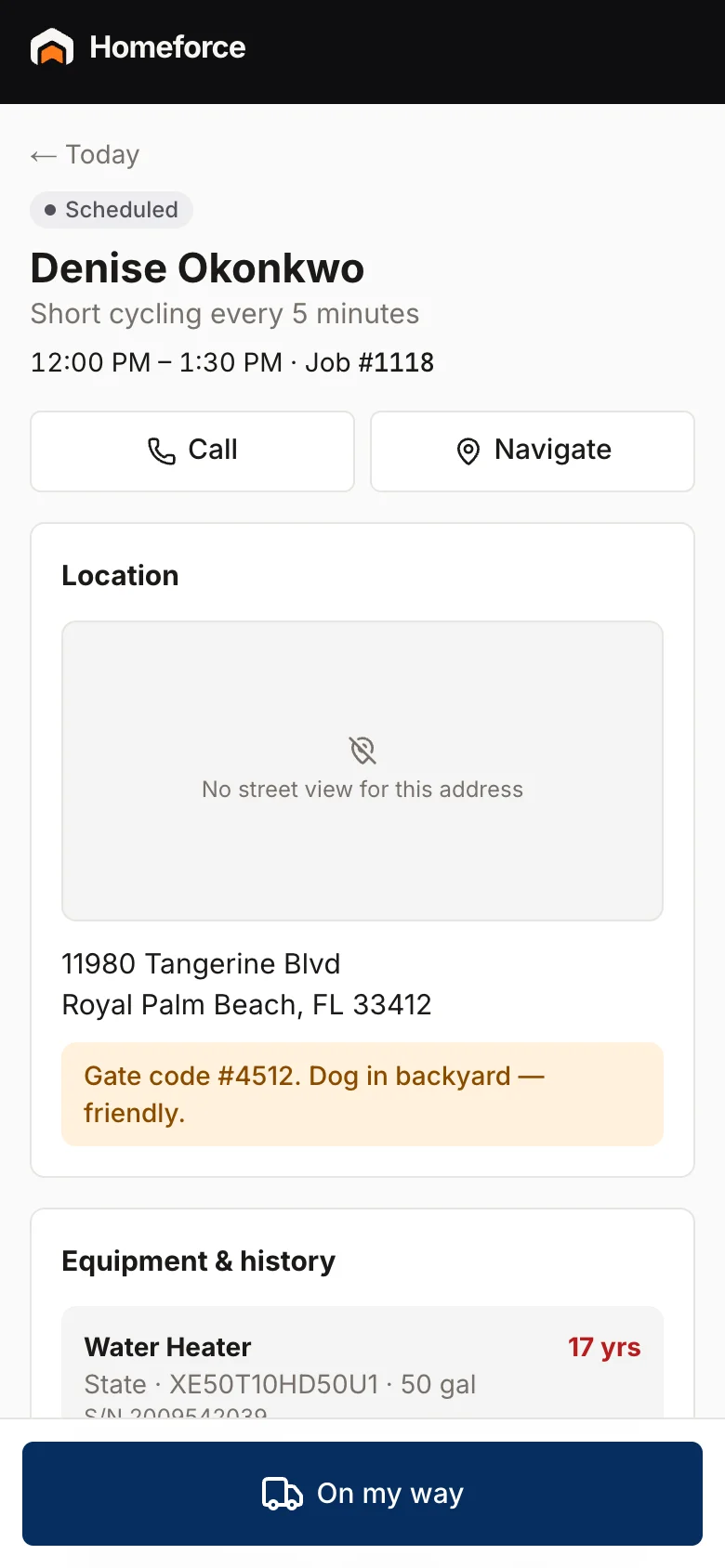
Techs see the system count, vent count, and access notes before they arrive, tap On my way so the customer gets an ETA text, and work the checklist with photos. Add-ons found on site go on the invoice from the pricebook, and the customer pays by card before the truck leaves.
- Before and after photos attached to every visit
- Add-ons priced from the pricebook, not made up at the door
- Card reader or card on file for payment on site
Homeforce for air duct cleaning, on real screens
Screens from the Homeforce app, taken from our demo companies.
FAQ
Air duct cleaning software questions, answered.
Have a question we didn't cover? Book a demo and ask a product specialist.
Can I price duct cleaning per system or per vent?
Yes. Create pricebook items per system and per vent, plus dryer vent, coil, and blower add-ons, and offer them as options on the estimate so the customer sees the price before the visit.
Can customers book duct cleaning online?
Yes. Turn on Bookable online for the job types you want customers to pick. They choose a day in the next 10 days and an open arrival window, and bookings from outside your ZIP code list are turned away.
How do I show customers the work was done?
Techs add before and after photos to the visit and work a checklist you build, then the customer signs off on the screen. Photos stay on the job for the office to see.
Can I sell recurring dryer vent cleaning?
Yes. Create a membership plan with one included visit a year and annual billing. Homeforce creates each visit as an unscheduled job about three weeks before it's due, and members get member pricing on other services.
Do you support NADCA standards?
Homeforce doesn't certify work or companies. If you follow NADCA's ACR standard, you can turn its steps into a checklist on your duct cleaning job types and keep photos with every visit.
More for air duct cleaning businesses
Run your air duct cleaning business on Homeforce.
We're onboarding early customers a few at a time. Join the waitlist, or see it with your own jobs, techs, and pricebook in a 30-minute demo.
Onboarding early customers · Month-to-month · Free data migration